
Go to documentation repository


Page History
TheIntellect software package officially supports debugger Microsoft Visual Studio 2005 debugger.
TheIntellect software package allows using third-party debuggers for processing JScript scripts. These programs may have the functionality that is not included in the Editor-Debugger utility, for example, step-by-step script execution, watching script variables during script execution, etcand so on.
| Info | ||
|---|---|---|
| ||
We do not recommend using You must use third-party debuggers with caution, since they do not as they don't provide full compatibility with the Intellect software, and with Intellect. The use of third-party debuggers may lead to failure of the Intellect software. |
We strongly recommend introducing the breakpoint in the script when using third-party debuggers. To insert the breakpoint, add the following line debugger; command to the script: “debugger;”. The script execution will pause at this linethe place specified by the debugger; command, and the debugger will start automatically.
| Info | ||
|---|---|---|
| ||
In programming, a breakpoint is a deliberate interruption of program execution at which a debugger call is made. |
When you use a third-party debugger is used, scripts can be started with test events only.
To start the script using a third-party debugger, do the following:
- Create the a script and insert add the “debugger;” line in debugger; command to it.
- Create a test event for to run the script.
- In the Debug and edit menu, select Test run in third-party debugger.
- The Just-In-Time Debugging window will open. Select one of the debuggers installed on the computer.
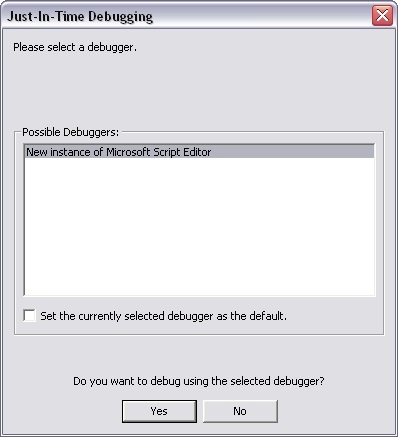
- Click Yes to confirm the selection.
- In case of a successful syntax check (no errors found before the “debugger;” line), the third-party debugger will start. The script will pause at the breakpoint.
Example. A script with the use of the breakpoint when after Macro 1 starts.
| Code Block | ||
|---|---|---|
| ||
 if (Event.SourceType== "MACRO" && Event.SourceId=="1" && Event.Action == "RUN"); //start Macro 1
{
debugger; // breakpoint
DebugLogString ("Hello world");
} |
Overview
Content Tools