
Go to documentation repository


Page History
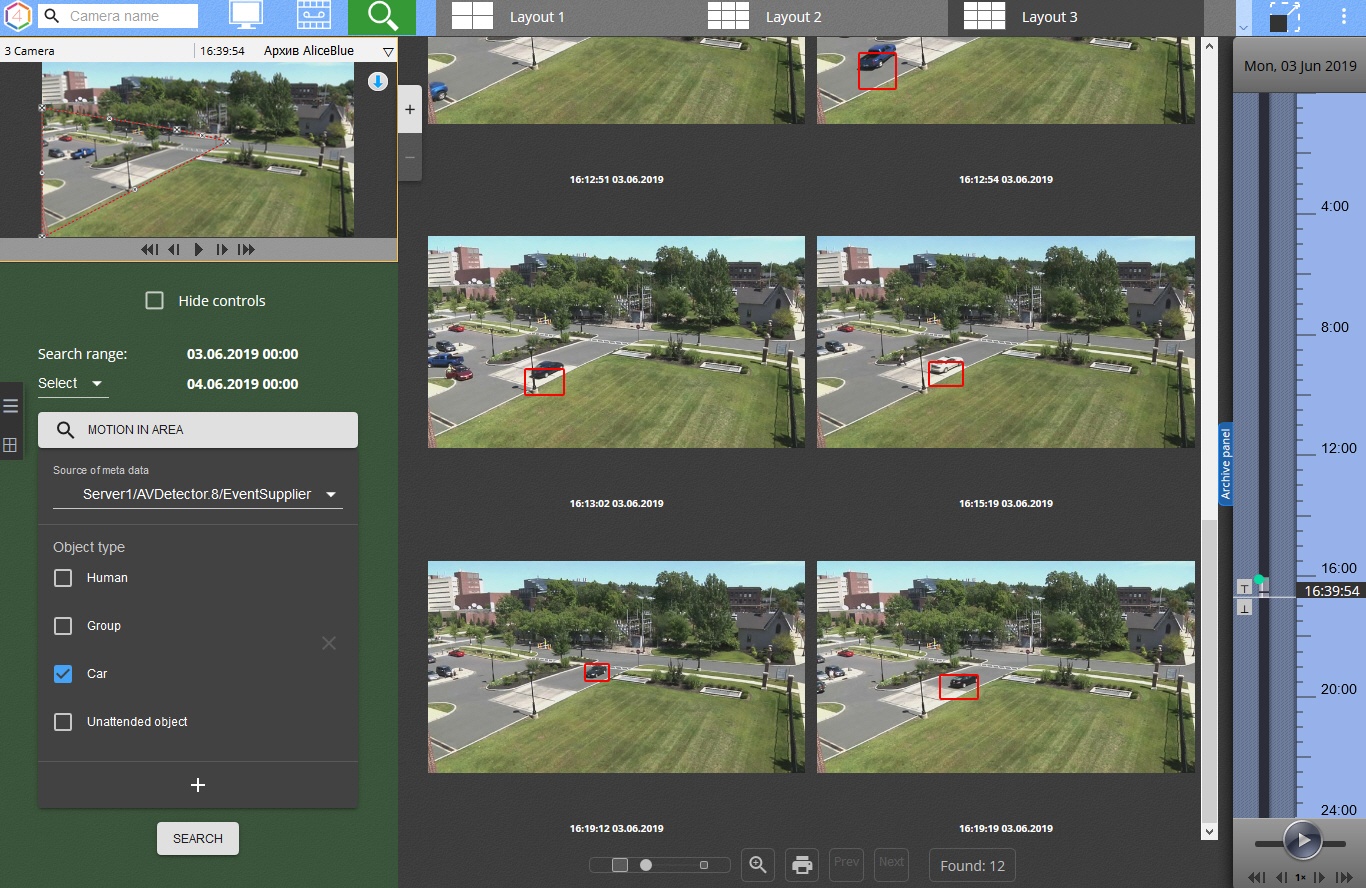
You can perform searches in Video Footage from the web client. To initiate a searchsearch in the archive in the Web-Client. To search in the archive, do the following:
- Pick a Select the required camera on the camera panel or on the layout.
- Click the
 button button.
| Info | ||
|---|---|---|
| ||
The previews of the search results are downloaded and displayed when you scroll the screen. |
| Note | ||
|---|---|---|
| ||
In addition to the type of the search, the number of the search results depends on how long the timeline covers (the timeline of the Web-Client is similar to the timeline of the Client (see The Timeline)). The more time the timeline covers, the more extensive the search will be. |
The interface of the search in the archive in the Web-Client is similar to the interface of the Client (see Archive Search mode interface).
You can resize the video surveillance window using the  buttonsYou can resize camera windows with
  buttons.
| Note | ||
|---|---|---|
| ||
If you select an item from Cameras panel, the search conditions will not be reset a device on the cameras panel (see Searching for video cameras in the web client). |
If a search was run more than once, and the user did not exit Archive Search mode during that time, it is possible to switch between search results.
Web-Client), the following conditions exist:
|
If you change the camera inside the search, the previous results will be deleted.

Overview
Content Tools