
Go to documentation repository


Page History
Aktywacja licencji Axxon Next odbywa się za pomocą Narzędzia Aktywacji produktu..
Narzędzie Aktywacji licencji uruchamiane jest z menu Start systemu Windows: Start -> Wszystkie Programy
Activating an Axxon Next license is done through the product license utility.
The product license utility is launched from the Windows Start menu: Start -> Programs -> Axxon Next -> Utilities Narzędzia -> Product ActivationAktywacja produktu.
| Info | |||
|---|---|---|---|
| |||
Plik wykonywalny narzędzia licencyjnego produktu LicenseTool.exe znajduje się w następującym katalogu: <Katalog, w którym jest zainstalowany Axxon Next> The product license utility executable file LicenseTool.exe is located in the following directory: <Directory where Axxon Next is installed>\AxxonSoft\AxxonSmart\bin\ |
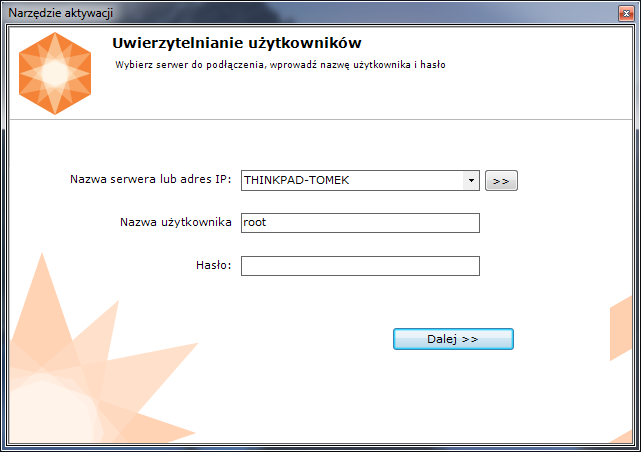
Next, select the name of one of the Axxon-domain servers, which will provide the license file (this file is distributed to all servers running at the time of activation of this Axxon-domain), and login to the system using the Axxon Next administrator name and password, to continue the activation process.

Następnie wybierz nazwę jednego z serwerów domeny Axxon, który dostarczy plik licencji (ten plik jest dystrybuowany do wszystkich serwerów działających w momencie aktywacji tej domeny Axxon) i zaloguj się do systemu za pomocą loginu i hasło administratora oprogramowania Axxon Next, aby kontynuować proces aktywacji.
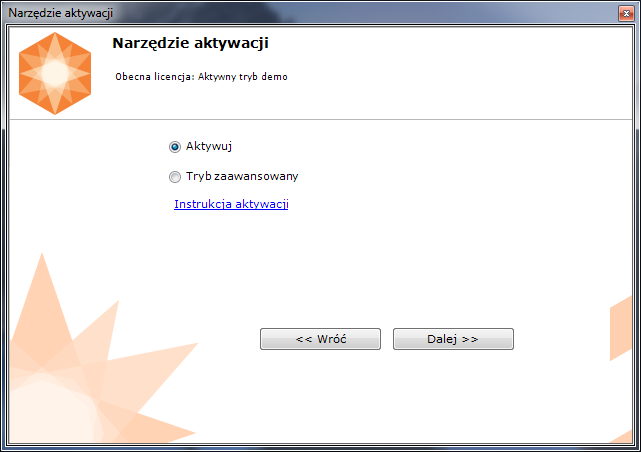
Po poprawnym zalogowaniu, narzędzie aktywacyjne wyświetli ekran głównyAfter the download is complete the license utility will display the home screen.
| Info | ||
|---|---|---|
| ||
To activate Aby aktywować Axxon Next, connect to a Server in the Axxon domain. Otherwise, an error message appears. |

połącz się z serwerem w domenie Axxon. W przeciwnym razie pojawi się komunikat o błędzie. |


Overview
Content Tools