


Page History
The choice of hardware platform depends on which software platform is to be used: Axxon Next or Intellect.One or Axxon PSIM (see Axxon One features and General description of Axxon PSIM).

By default, the platform is calculated for a 64-bit system and 64-bit modules.
...
- Click on the Settings button in the upper right corner of the page.

- In the window that opens, set the Bit depth of the Calculation calculation mode bitness switch switch (1) to the required position.
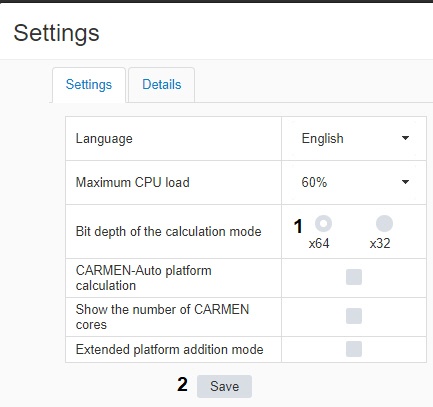
- Click Save (2).
| Note | ||
|---|---|---|
| ||
It is recommended to use the x64 mode because x32 mode has the following restrictions:
|
...
Overview
Content Tools