
Go to documentation repository


Page History
...
The time table displayed in the bottom left corner of the panel is designed for the above search.

The upper part of the table shows the date, whereas the current playback position is shown in the bottom part.
To start the search, enter the date and time in the table. Double-click the date and time line and a green cursor will appear.


Now, using the keyboard, enter the required time of the recording.
If you double-click on the date, you will see not only the green cursor, but also a calendar to assist you visually in the selection of the required recording date.
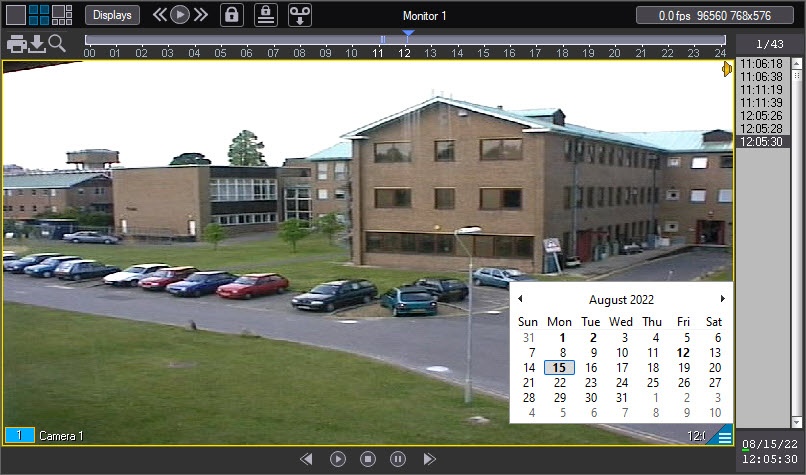
Bold font in the calendar indicates the dates of the recordings. If there are any records for any days in the archive, but their viewing is forbidden by user rights, then such days are not marked in bold (see Permissions for working Rights to work with archives section in Administrator's Guide).
| Info | ||
|---|---|---|
| ||
Working with interface Windows Aero of OS Windows Vista, dates of the recordings are not bolded. |
...
| Info | ||
|---|---|---|
| ||
In case when the access restriction to the video archive play back is set (see Access restriction to the video (and audio) archives section in the Intellect software package. Administrator guide document Administrator's Guide document), the switch will be performed only among the available recordings in the displayed list of all the recordings. |
...
Overview
Content Tools