
Go to documentation repository


Page History
...
| Info | ||
|---|---|---|
| ||
Video recordings can be removed from the archive when:
|
...
- Go to archive viewing on the selected camera.
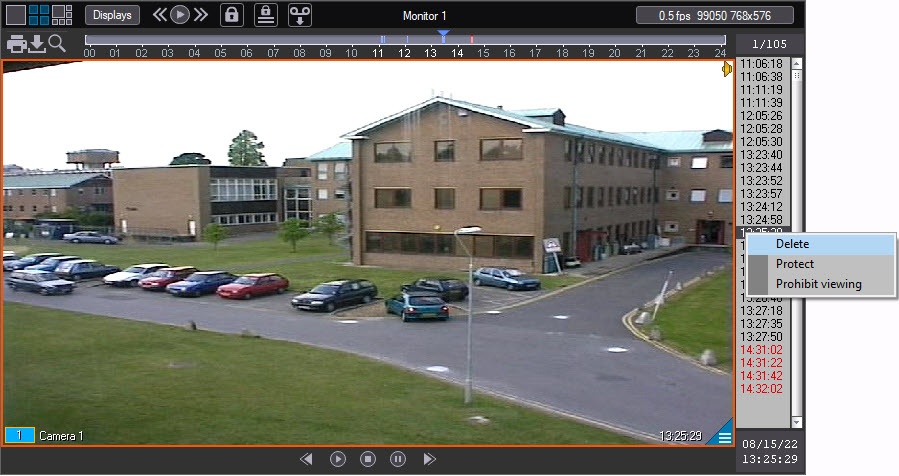
Right-click the recording to be deleted.
Info title Note. Multiple video recordings can be selected for deletion using the Ctrl or Shift keys left-clicking the video recordings.
- In the feature menu, select the Delete item.
| Info | ||
|---|---|---|
| ||
A video can also be deleted using a script or command – see CAM Camera section of Programming Guide (not available in English). |
...
Overview
Content Tools