
Go to documentation repository


Page History
...
There is Created by Operator message in the Initial Event column when displaying events created this way (see Search in events archivethe archive of events processed by operator).
To create an event, do the following:
Go to the Create event tab of the Operator protocol.
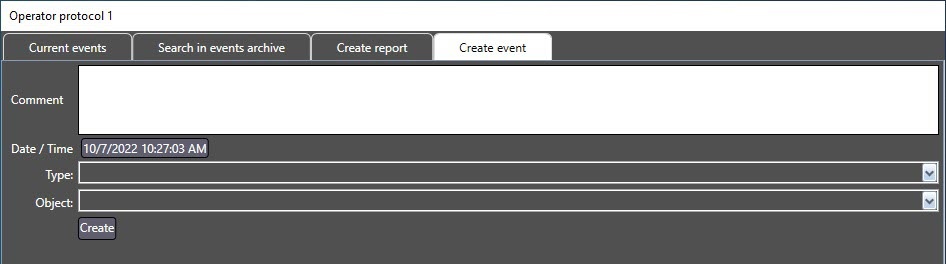
Type in the event description in the Comment.
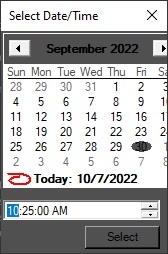
Click the Date/Time button and specify the date and time of the event in the opened box.
- Select the object type in the Type dropdown list.
- In the Object drop-down list, select the object which registered the event.
Click the Create button.
...
Overview
Content Tools