
Go to documentation repository


Page History
...
- Start the utility from the Windows taskbar. Click Start => All Programs => Intellect Axxon PSIM => Tools => Advanced settings utility. The tweaki.exe utility is available from the Start menu with the following installation types of Intellect Axxon PSIM: Server, Remote administrator workstation, Remote client.
- Start the utility from the Tools folder of the Intellect Axxon PSIM program folder: C:\IntellectAxxon PSIM\Tools\Tweaki.exe.
The Intellect Axxon PSIM Advanced Setup dialog box appears after running the tweaki.exe utility.
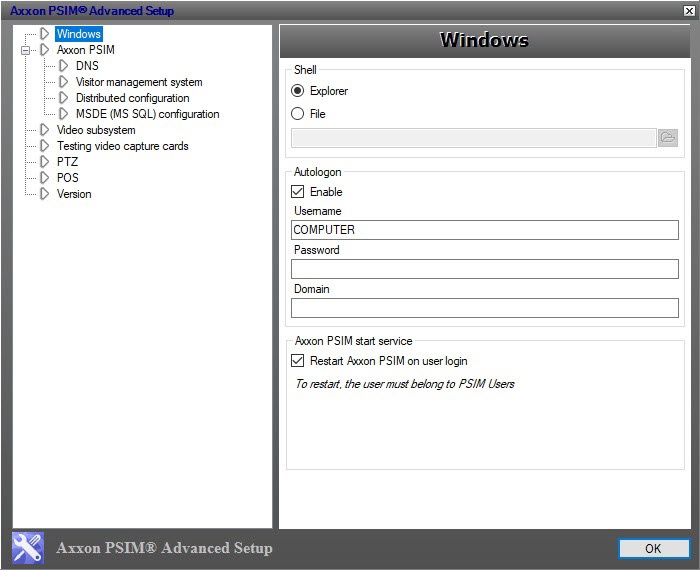
To shutdown the tweaki.exe utility and save the changes click OK. To shutdown the tweaki.exe utility without saving the changes, click
 .
.
Overview
Content Tools