
Go to documentation repository


Page History
...
- Go to the Interfaces tab of the System settings dialog box.

- Create the Configuration check object on the base of the Display object.

- Go to the settings panel for the Configuration check object.
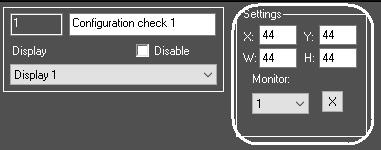
- To configure the position of the Configuration check object, set the coordinates of upper left corner in X:, Y: fields and values of window’s width and height in W:, H: fields, and select the computer monitor for which the coordinates are set (1).
- To save the changes, click the Apply button (2)
 .
.
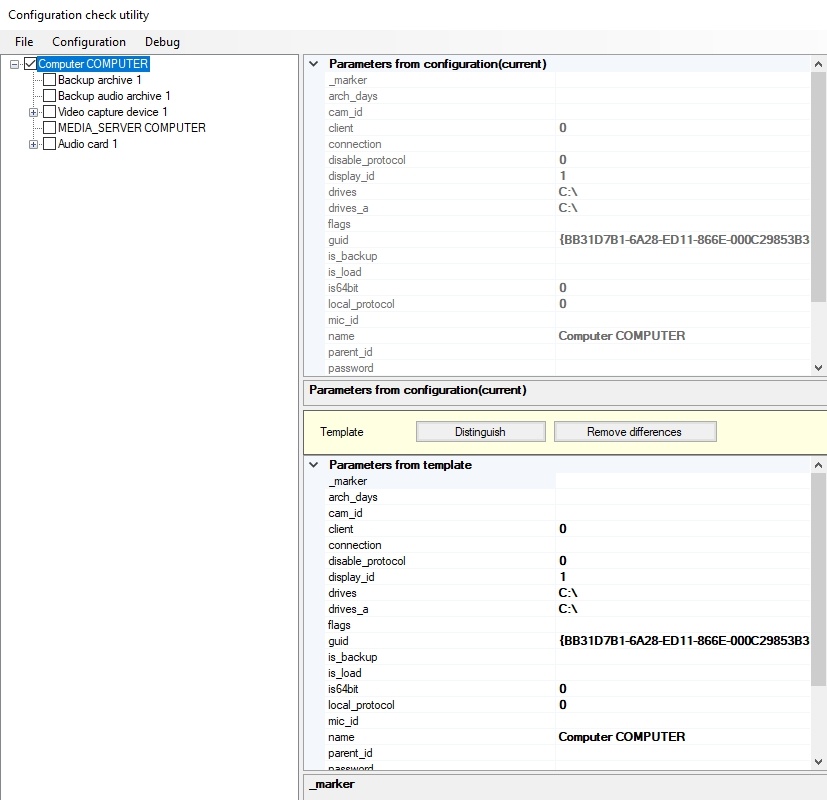
As a result the Verifying configuration tool dialog box is displayed.
To shut down the tool, click the 
 button on the main control panel of INTELLECT™ Axxon PSIM software and select the Close all menu item;
...
Overview
Content Tools