Versions Compared

Key

  • This line was added.
  • This line was removed.
  • Formatting was changed.

...

Note
titleAttention!

To display frames from cameras in the generated report, it is necessary to configure the video player (see Video Player Settingsplayer settings).

To create a Report by camera, do the following:

  1. Select the Report by camera type (see Selecting the type of general report). As a result the dialog box for specifying the report parameters will be displayed.
  2. In the Camera list list (1) set the checkboxes for those camera objects for which you want to build a report. Click All to select all objects from the list. Click None to deselect. Click Show all to expand the object structure. Click Hide all to hide the object structure. 
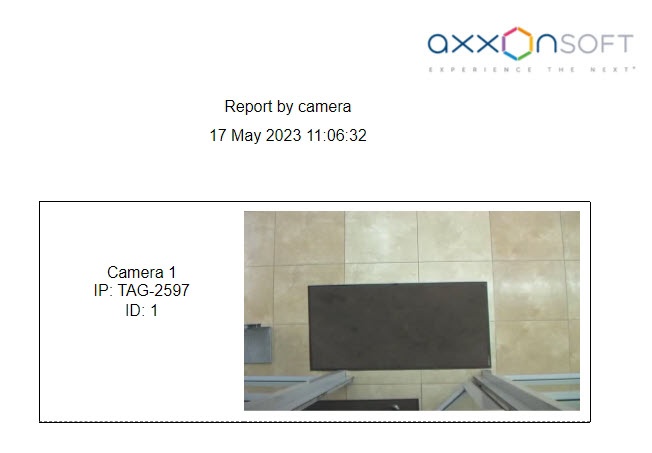
  3. To build a report, click the Execute button (2). As a result, a report for the selected cameras will be displayed:
    Image Modified

The report by camera contains the following information:

  • Camera name in IntellectAxxon PSIM;

  • Camera IP address;

  • Camera ID;

  • Frame from the camera at the time of the report generation. The frame is taken from the video stream, which is intended for recording the archive.