
Go to documentation repository


Page History
| Tip |
|---|
Types of permissions to access hardware, archives and macros |
In In Axxon One, every user has permissions based on his role.
By default, there is one role (admin) and one user (root). The root user belongs to the admin role and has rights to configure all components of the video surveillance system. To add a user with individual permissions, create a new role with the necessary permissions and then create a new user account.
| Info | ||
|---|---|---|
| ||
Only admin users can create other admin role users. |
Roles and users can be added and configured in Settings, on the Users tab.
their role. There are two types of users: local (stored in the Server database) and LDAP (see Connecting LDAP users).and LDAP.
| Note | ||
|---|---|---|
| ||
To enable LDAP users, you must configure access to LDAP catalogs (see LDAP catalogs). |
| Term | Description |
|---|---|
| Roles | Determine a set of permissions for users in Axxon One. Several users can have the same role in Axxon One |
| Users | An account in Axxon One. Each user can be assigned to one or more roles. In this case, user’s permissions are summed up from all the roles that the user has, that is, the permissions with the widest access to configuring the components of Axxon One are selected from all user roles. The user logs into the system using a unique username and password. The actions of all system users are |
...
registered in the system log (see |
...
...
log) |
...
...
| title | Note |
|---|
The following user actions are logged:
- Client started/quit.
- Settings for hardware, archive, or detection tool are deleted/added or changed.
- Macros are created, deleted, or changed.
- User permissions are added, deleted, or changed.
- Camera alarm is initiated.
- Camera is armed/disarmed.
Create/edit comments.
- Snapshot or video is exported.
- PTZ.
In all user-specific events, the user IP address is indicated.
| Permissions | Determine what actions the user can perform in the system. These actions can include administering, managing and monitoring the components of a video surveillance system. Permissions are configured along with roles and are granted to users assigned to the corresponding roles |
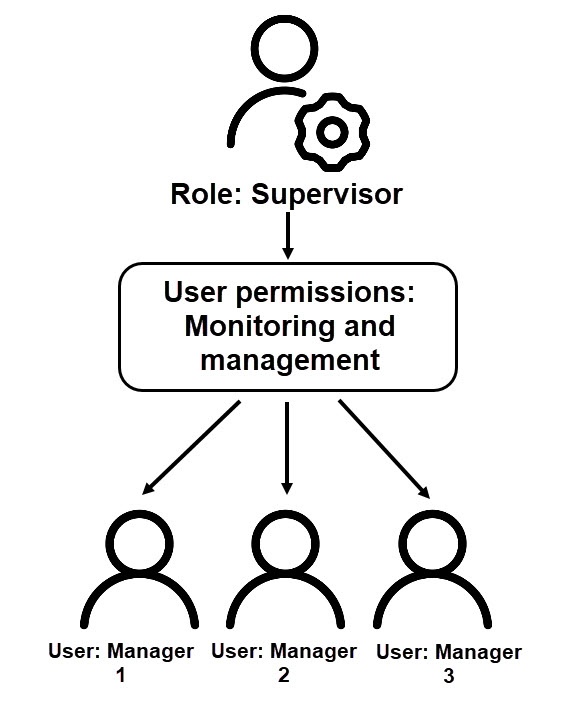
For example, three Manager users are assigned the Supervisor role. Users have permissions to monitor and manage video surveillance system components. User permissions are configured when creating a role.
By default, there is one role—admin and one user—root. The root user belongs to the admin role and has permissions to configure all components of the video surveillance system.
| Info | ||
|---|---|---|
| ||
Only admin users can create other admin role users. |

Common algorithm for configuring users:
- Create a new role on the Users tab and configure permissions for the new role (see Roles).
- Register new users for the role and enter additional information about users (see Configuring local users, Configuring LDAP users).
...
Overview
Content Tools