
Go to documentation repository


Page History
You can delete an arbitrary part of an archive. To do this, do the following:
- Set Specify the time interval for the footage to be deleted from the archive:of the archive that you want to delete:
- On
- on the main timeline, set the indicator to the beginning of the interval, click the
 button, then set the indicator to the end of the interval and click the
  again; as an alternative, you can right-drag the mouse over the required interval button again. You can also select the export interval with the right mouse button. To delete the interval, click the
  ; button.
 - on On the additional advanced navigation panel, you can set specify the time interval in the same way using the

 buttons. You cannot set select the interval with the mouse on the additional advanced panel.
- Click the
 button in the Camera Surveillance window.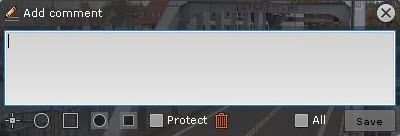
- To delete footage within the specified time interval for all cameras within the archive, check the All box .
- If several cameras are in the Archive mode, to delete the selected interval for several devices, set the All checkbox.
- Click the
 buttonClick.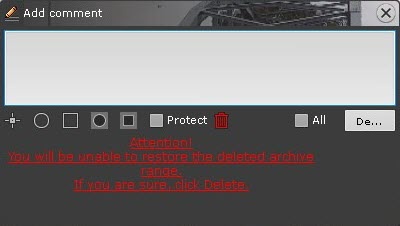
Click the Delete button to confirm the deletion.
Note title Attention! You cannot recover deleted footagevideos.
Note title Attention! If several archives were selected for viewing (see Viewing a combined archive), the footage will be video is deleted from all of them.
After the deletion is complete, the remaining footage may contain some artifacts near the cut pointsdeleting a part of the archive, artifacts can appear on the video near the borders of the deleted interval.
Overview
Content Tools