
Go to documentation repository


Page History
| Tip |
|---|
To share a layout in the Web-Client, do as followsthe following:
- Select the a layout.
- Click
the
 button and select Edit Layoutlayout.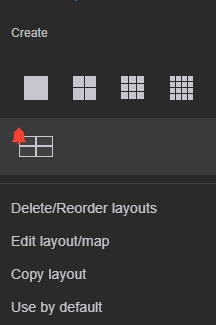
- Click button, and in Share Withthe Share with menu item, select one or several target roles with the users of whom you want to share the access to the layout with.

- Click Save.
Shared layouts are sealed with the following sign:
...
The shared layout has the following icon:
| Info | ||
|---|---|---|
| ||
Only the user who created the layout can completely delete it in the Web-Client (see Editing and deleting layouts in Web-Client). If the layout was deleted by a user with whom the access to the layout was shared, the layout will be deleted only for this user. After the layout is deleted, it will become unavailable to all users. If this layout was opened on the monitor of the user with whom the access to the layout was shared, then it will be available until the browser page is reloaded. |
Overview
Content Tools