


Page History
...
By default, a report covers the current day. To change the reporting time interval, click the
 button and select a new interval.
...
Chart of average number of fever-screening events across all cameras by hour within the specified time slot.
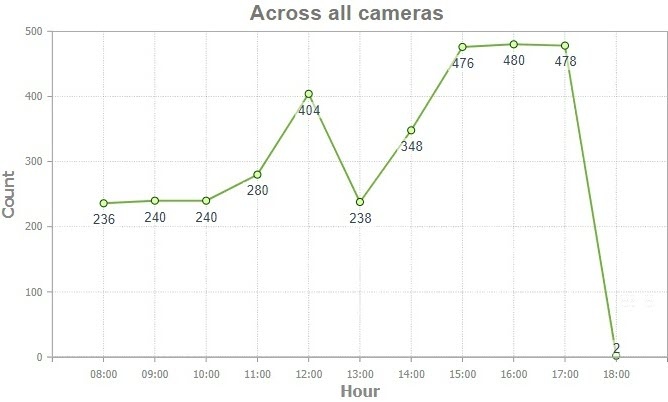
Charts of average number of fever-screening events per sites by hour within the specified time slot.

- Chart of total number of fever-screening events across all cameras by day the specified time slot.
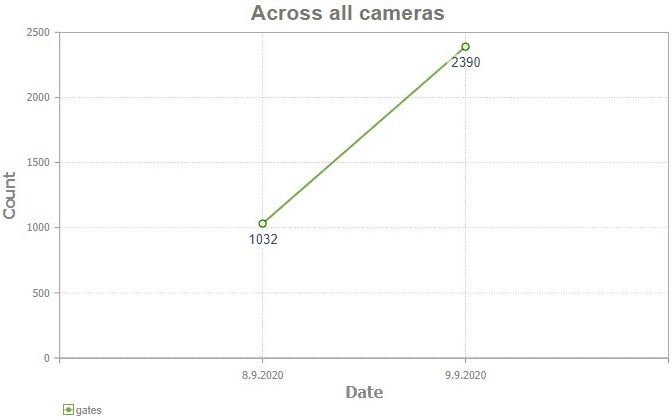
- Chart of total number of fever-screening events per sites by day within the specified time slot.

To return to report type selection, click the
 button.
Overview
Content Tools