
Go to documentation repository


Page History
The edit/ restore mode is used to reinstall all all Axxon PSIM components. Use this function when, for example, some files were accidentally deleted from the installation directory.
To launch the edit/ restore mode, you need to restart Axxon PSIM the Axxon PSIM installation without deleting the previous version. To edit/ restore Axxon PSIM correctly, make sure that the distribution package is located in the same path as it was during installation or that the operating system is configured to save the *.msi files in the cache.
| Info | ||
|---|---|---|
| ||
To reinstall Axxon PSIM correctly, close all applications on the computer before the reinstallation startup. |
To edit/ restore Axxon PSIM, do the following:
Open Open the folder containing where the unpacked distribution package is unpacked.

Info title Note Here we describe how to edit/restore restore Axxon PSIM using the installer. The You can start the same process can be started using the uninstaller: open the Windows Start menu → Settings → Apps, find Axxon PSIM in the list, and click Uninstall. The uninstaller window will open, select opens. Select the Repair option and proceed according to this manual.
Run the Setup.exe executable file used for runningthe Axxon PSIM installation program.
As a result, the Select action dialog box is displayedInstallation Wizard window opens.Info title Note The following files may be run for restoring Axxon PSIM instead To restore Axxon PSIM, you can run the following files instead of Setup.exe: - Product.msi—to repair Axxon PSIM;.
- Redist.exe—to install additional components.
- Select the language of the installation dialogs from the list and click the Install button.
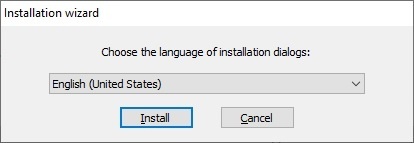
- SelectTo select Axxon PSIM components restore mode, select Edit /Restore installation type and click the Next button.

- Set the checkboxes next to the components that need to be restored and click the Install button.

Axxon PSIM restore dialog box will be displayedThe Axxon PSIM restoration window opens.
When the restore restoration process is finished, the Installation complete dialog box will be displayed window opens.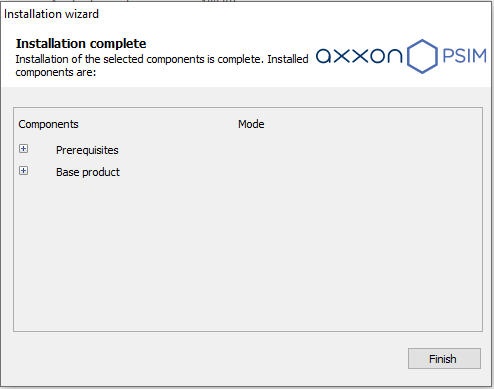
- Click the Finish button.
Axxon PSIM is now restored.
Overview
Content Tools