
Go to documentation repository


Page History
The address To configure the address book of the SIP-terminal is configured as follows, do the following:
- Create an the Address book object based on the SIP-terminal object.
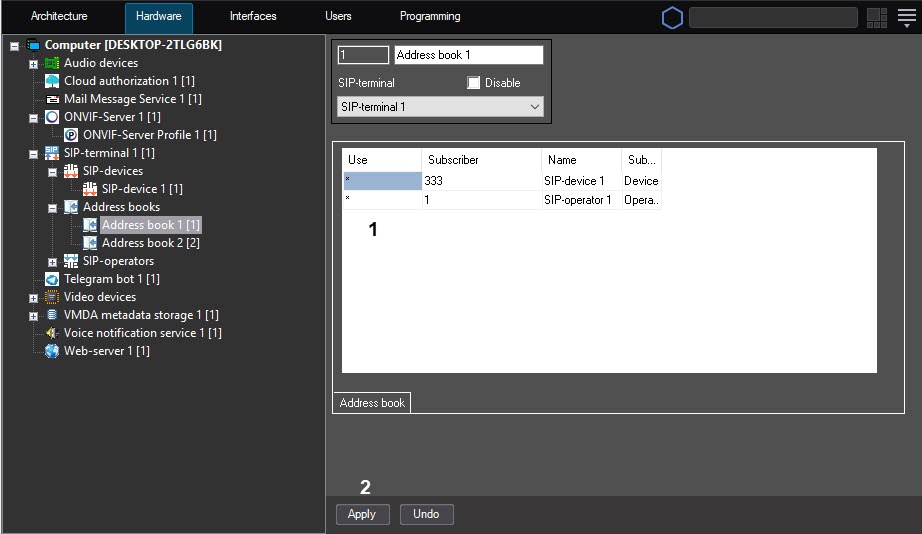
- In the Use column (1), select the required subscribers (SIP-operators, devices, or special numbers), whose numbers should must be available in this address book.
- Click the Apply button (2).
The address Configuring the address book of the SIP-terminal is now configuredcomplete.
Overview
Content Tools