
Go to documentation repository


Page History
To create the Incident handler object, do the following:
- Go to the Hardware tab of the System settings dialog box.
- Right-click on the Incident server object and in the context menu that appears, selectincident server name and select Create object -> → Incident handler.:

- In the window that appears, enter specify the number and name of the Incident incident handlerobject.

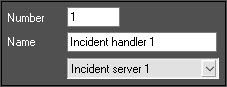
- Click the Apply button.
TheCreating the Incident handler object is createdcomplete.
Overview
Content Tools