
Go to documentation repository


Page History
To save the dialog box window form, follow these steps:do the following:
- Select the Select File, then click Save (1) or or Save as… (2) to save the file under item from the File menu to save a file with a new name.


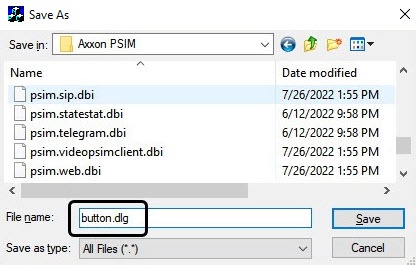
- Save Using the standard save file dialog, save the file with a the .dlg extension [suffix]using the standard save file dialog.
| Info | ||
|---|---|---|
| ||
| The In this case, the file extension should must be entered manually in this case. |
| Note | ||
|---|---|---|
| ||
| In order to have To get access to the saved dialog window form file in in Axxon PSIM, you must save it should be saved in the following folder : <Path to installation directory of Axxon PSIM>Axxon PSIM installation directory>/Program. |
Saving the dialog bog window form is completedcomplete.
Overview
Content Tools