
Go to documentation repository
Settings of LPs license plate processing include the following functionality:
To configure LP license plate processing, do the following:

If it is necessary to ignore repeated license plate recognition, in the Skip repeated recognitions, s field (3), enter the time period in seconds greater than 0 , during which the captured license plate must not be recognized again.
| Info | ||
|---|---|---|
| ||
The value of the Skip repeated recognitions, s field has a limit of 86400 seconds (number of seconds in a day). |
To configure the ignoring of numbers license plates according to the list of rules, do the following:
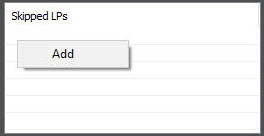
Right-click the Skipped LPs field, and then click the Add button (4) button.
Enter the required rule using rule using regular expressions (5). A rule can contain either an exact number license plate or a regular expression.

| Info | ||
|---|---|---|
| ||
For example, the regular expression ".555.+" means that there can be only one arbitrary character before "555", and many arbitrary characters after "555". |
Click the OK button (6).

You can check if the specified a rule is correct. To do this, enter enter the test LP license plate in the Enter LP field (10) and field and click the Check button (11). The result will appear below appears in the area (12)below the Check button.

| Info | ||
|---|---|---|
| ||
The maximum number of characters in the Enter LP field is 30. |
The LP license plate processing is now set up.

