
Go to documentation repository


Page History
The Operator's search box can be used You can use the operator query panel to control specific types of PTZ devices.
Below we give there is an example of how to control the Dynacolor-D7720 PTZ device.
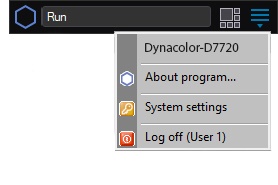
To call up the Operator's search boxthe operator query panel for controlling the PTZ device, select the Dynacolor-D7720item in the Run menu of the Axxon PSIM main control panel of Axxon PSIM.

The appearing window will allow allows controlling the Dynacolor-D7720 device, which is connected to the system.

The table gives a brief description briefly describes the interface of the control panel interface for operating of the Dynacolor-D7720 device.
Element number | Function |
1 | PTZ |
device address | |
2 | Conventional PTZ |
device speed |
when the |
direction changes | |
3 | PTZ direction controls |
4 | Setting the lens zoom ( |
zooming-in) |
5
and camera focus |
5 |
Selecting and setting |
PTZ user settings (presets) |
6 |
Access and control of the |
embedded OSD menu of the Dynacolor-D7720 camera |
7 | Hiding the Dynacolor-D7720 |
panel |
| Info | ||
|---|---|---|
| ||
Certain types Each type of system units are operated with the specific system device has a separate control panel (Operator's search box), which panel—operator query panel—which, in turn, has an appropriate interface and a set of functionalities. In additionBesides, the name of the box item for calling up displaying the control panel (Operator's search box) in the Run menu is configured with set while you configure the program settings and may differ from the PTZ type corresponding name (type) of the PTZ device that corresponds to the given control panel. |
Overview
Content Tools