
Go to documentation repository


Page History
...
- Create the Control device object under the Computer object on the Hardware tab of the System settings dialog window (1).
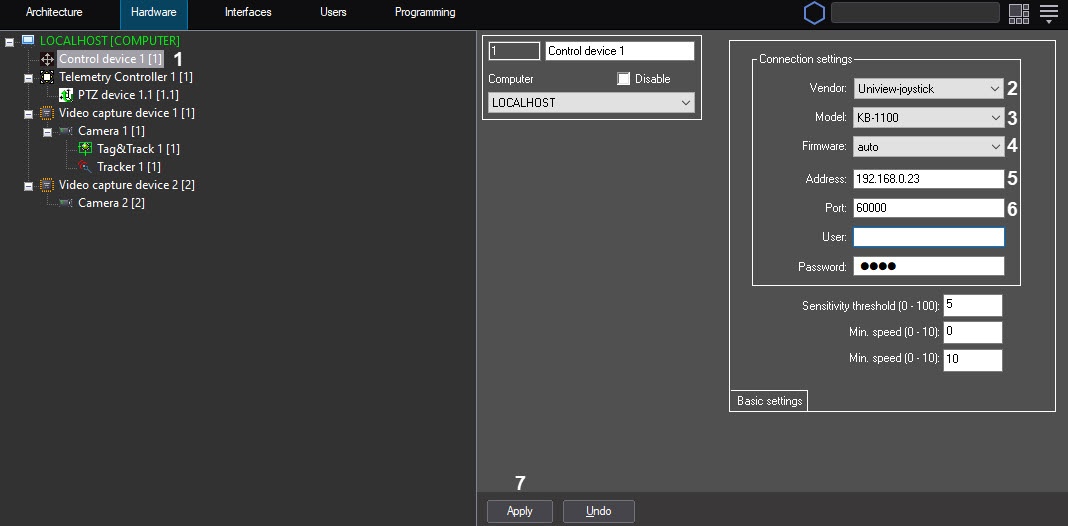
- Select Uniview-joystick from the Vendor dropdown list (2).
- Select KB-1100 from the Model drop-down list (3).
- Select auto from the Firmware drop-down list (4).
- In the Address field, enter the IP address of the control device (5).
- In the Port field, enter the port number specified in step 4e of the device configuration (6).
- Click the Apply button (7).
...
Overview
Content Tools