
Go to documentation repository


Page History
The Editor-Debugger Debugger utility allows replacing text in script using a dialog box.
Press Ctrl+H to open replace dialog box. The the Replace dialog box opens.
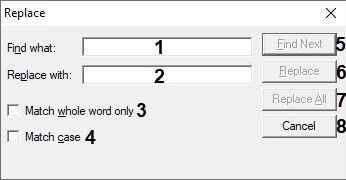
- Enter In the Find what field (1), enter the text that you want to find in the Find what: the script.
- In the Replace with field (1).Enter 2), enter the text with which you want to replace the found text with in the Replace with: field (2).script.
- Set the Match whole word only checkbox (3) if you want to search for the whole entered text in whole (3).
- Set the Match case checkbox (4) if you want the search to be case-sensitive search for the text (4).
Click the Find Next to run search or button (5) to start the search and go to the next entry (5)match.
Info title Note. The search runs down from the current cursor position.
- Click the Replace button (6) to replace the current found match (6).
- Click the Replace All button (7) to replace all matches automatically (7).
- Click the Cancel button (8) to stop close the replace dialog box (8).
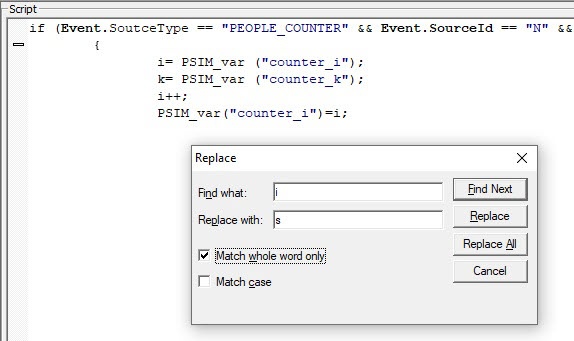
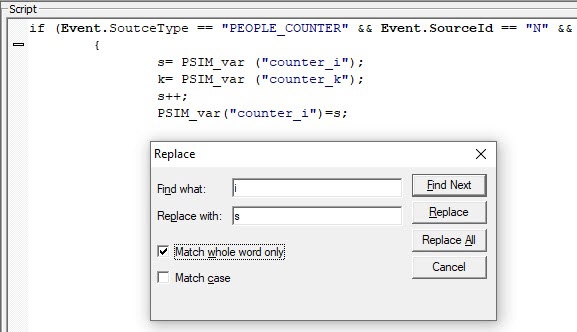
Example of use fo replacing variable the i to variable with s:
- Before replacement:
- After replacement:
Overview
Content Tools