
Go to documentation repository


Page History
...
- Close the Axxon PSIM software if it is open.
- Start the Tweaki.exe utility (see Starting and shutting - down the Tweaki.exe utility section).
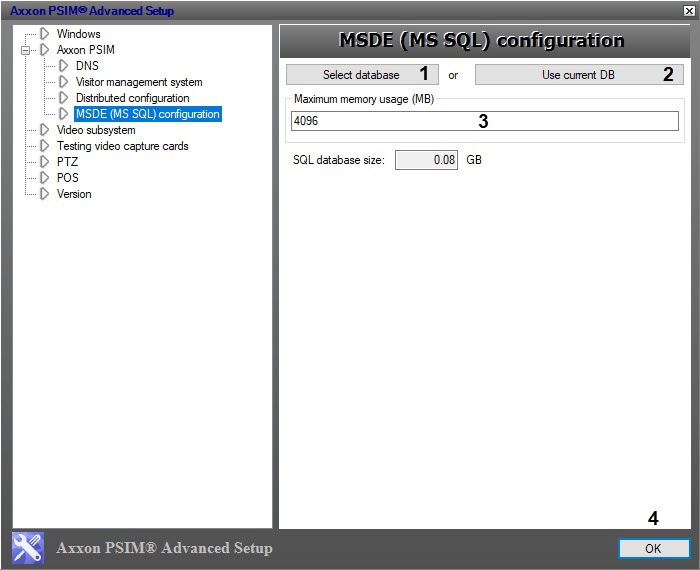
- Select the Configure MSDE (MS SQL) node in the tree on the left side of the utility dialog box (see The Settings panel of the MSDE (MS SQL) configuration section).
- Select the MS SQL database to limit the allocated RAM by doing one of the following using Select database (1) or Use current DB (2) buttons.
- In the Maximum memory usage (MB) (3) enter the required amount of memory to be allocated for the SQL server.
- Click the OK button (4).
Overview
Content Tools