
Go to documentation repository
There It is possibility possible to set up the audio the audio notification while when registering the following alarmsalarm events:
Setting To set up the audio the audio notification while registering the alarms is done in when registering alarm events, do the following way:
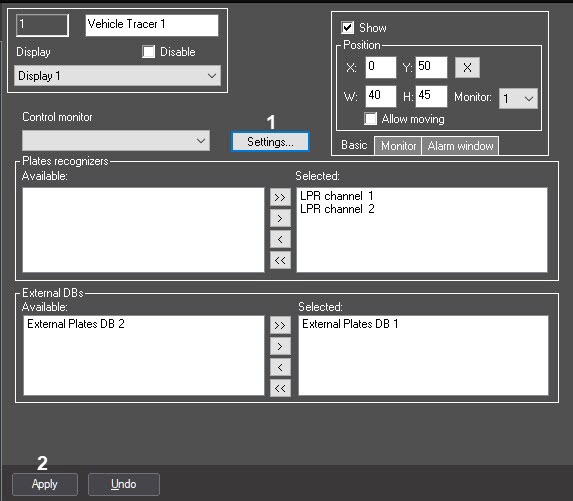 Click Click the Settings button (1).
Select the required alarm event or external database from the area (2) field and and click the 
 button to the right of itthe required event. In the opened standard Open dialog window Open , select the required sound audio file in WAV format and then click the Open button. As a result, the full path to the sound audio file will be displayed in the field corresponding to the selected alarm or external event or external database.
| Info | ||
|---|---|---|
| ||
The audio notification file can only be in WAV format. Other formats aren't supported. The number and the names of the external databases displayed on the the Audio notification tab correspond to those external databases that were pre-selected for analyzing the identified plates (see Selecting the external plate's databaseExternal Plates Database). |
Click the OK button to save the changes and close the Settings dialog window and return to the settings panel of the Vehicle Tracer object (3).
| title | Note |
|---|
Click the Cancel button to close the Settings dialog window without any changes
(4).
Setting up the audio notification while when registering the alarms alarm events is completed.

