
Go to documentation repository
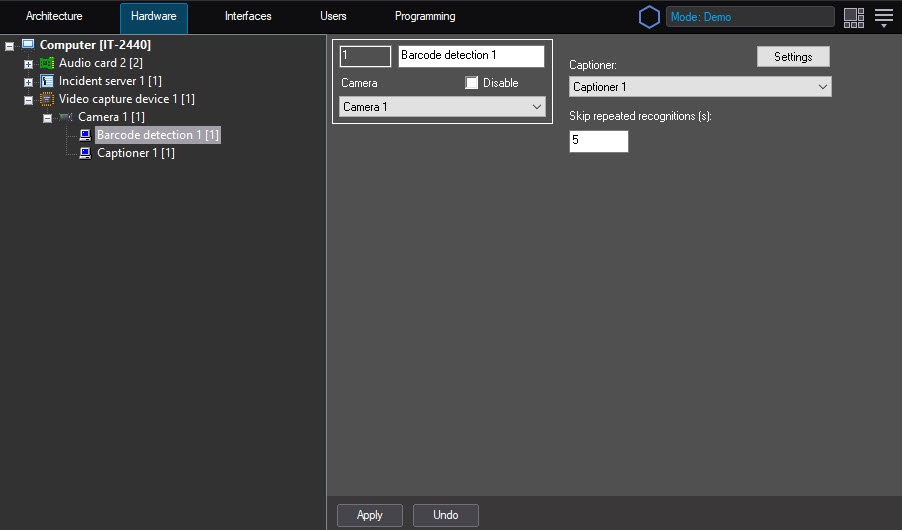
The You can configure the Barcode detection module can be configured using on the System settings menu, under the Hardware tab, on the Barcode detection control panel, using the Camera settingspanel of the Barcode detection object that is created on the basis of the Camera object on the Hardware tab of the System settings window.
 The
The
To configure the Barcode detection
...
module, do the following:

In the Skip repeated recognitions (s) field, sec field enter the time in seconds in which the repeated code is recognized (2).
| Info | ||
|---|---|---|
| ||
If there are some different barcodes or QR-codes one after another, then the recognition is performed instantly. If there are some repeated barcodes then , the new result will be is displayed after the time period specified in the settings. |
| Info | ||
|---|---|---|
| ||
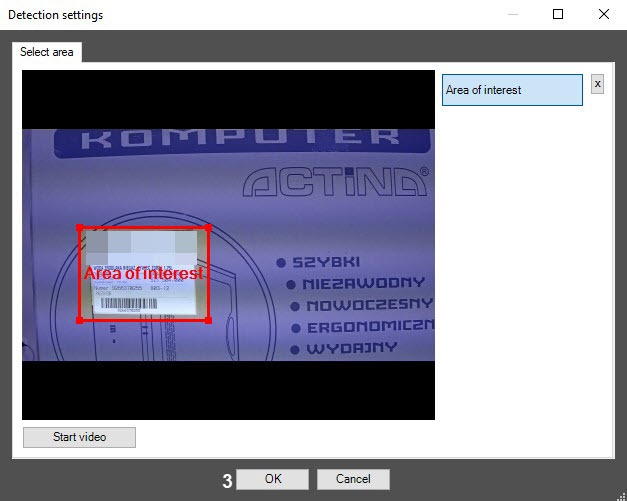
To remove the area, click the |
| Note | ||
|---|---|---|
| ||
Barcode can Barcodes can be detected not only when the entire barcode or QR code is within the specified area, but also only a fragment of itincluding its fragment. |
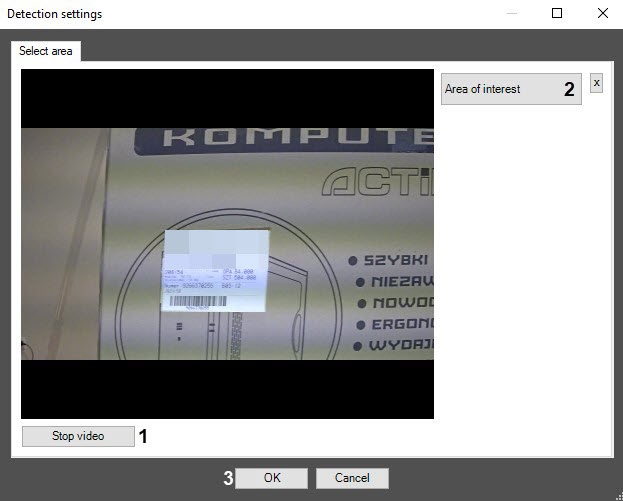
Click the OK button (3) to save the changes and return to the control settings panel of the Barcode detection object.
| Info | ||
|---|---|---|
| ||
To return to the control settings panel of the Barcode detection object without saving the changes, click the Cancel button. |
Configuring the Barcode detection module is complete.
...


