
Go to documentation repository


Page History
...
- If grouping and search is enabled, when you click a Camera, a camera selection will open in the dialog window with the possibility of searching by camera name in the top line. In the dialog window, cameras are group by Computer:
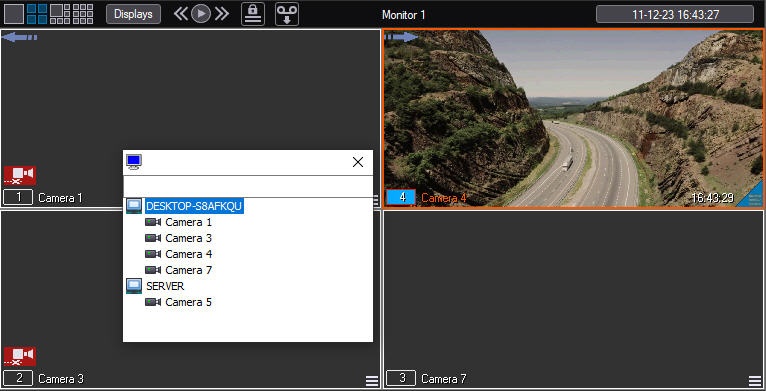
Info title Note - You can enter the number, name or part of the camera name in the search line.
- You can disable grouping by computer using the ActivateVirtualSlave registry key (see Registry keys reference guide).
- If grouping is disabled, when you click a Camera, a submenu will open with the possibility of selecting another camera.:

You must select a camera from the suggested cameras (all cameras available for the Video surveillance monitor are displayed in the list), and a video from the selected camera will be displayed in the Surveillance window.
Overview
Content Tools