
Go to documentation repository


Page History
| Section | |||||||||||||||||||||
|---|---|---|---|---|---|---|---|---|---|---|---|---|---|---|---|---|---|---|---|---|---|
|
Example
...
1.
The regions created in the system are used to group Axxon PSIM system objects, representing PSIM objects corresponding to the security devices hardware by their its location on the protected territory.
To include a device into hardware in the region, select an appropriate Region in the Region field on the required Region from the Region list of the identification panel of the corresponding object on object on the Hardware tab.

Example 2.
Arming all cameras included into the in Region 1.1 when the Macro 2 1 is run. The parameters of the macro are given in the table.
Event | Action | Parameters |
Macro is executed | The Control objects action of command of the Region 1.1 object is executed | Reaction type = ARM Object type = CAM |

Example
...
3.
In Axxon PSIM allows displaying the reports about the devices , you can display reports by the hardware grouped in the regions.
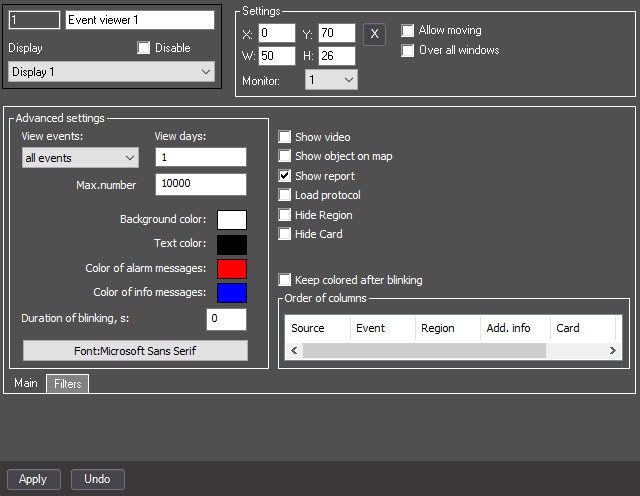
The figures below show the configuration of the Event viewer object, which allows you to display a report on the Alarm event from any video camera related to the the Region 1.1 object.

Overview
Content Tools