
Go to documentation repository


Page History
Use of Axxon One through a Web-client Client takes place remotely, through a Web browser and the TCP/IP protocol. Remote video surveillance via a Web browser does not require installation of Axxon One.
| Note | ||
|---|---|---|
| ||
Opera browser supports Web-Сlient Client starting from version 15. In the Windows OS, the Web-Сlient Client for Safari browser is not supported. |
To start the web clientWeb-Client:
- Start a web Web browser.
In the address bar, type the address of the Axxon One Server in the following format: <web server IP address>:<Port>/<Prefix>.
Tip Connecting the Web and Mobile Clients to the Server behind NAT
Note title Attention! The Server URL is case-sensitive. You have to type in the URL using the exact case of characters specified in settings (see Configuring the Web Server).
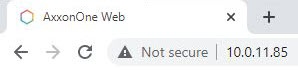
Note title Attention! If the web server Web-Server is properly configured (see Configuring the Web-Server), then a secure HTPPS connection is automatically established.
Enter a username and password for connecting to the Axxon One Web-Server.

Note title Attention! After 5 successive failed authorization attempts, the user is blocked for 10 minutes.
This will show the Web-Сlient Client interface. By default, the first listed layout will be displayed. If there are no layouts, the Cameras panel opens on the left and shows the video from the first listed video camera.
To switch between users, press the Change Useruser link in the upper-right corner; another authentication will follow.
...
Overview
Content Tools