
Go to documentation repository


Page History
...
- Set the control device address: Select System → Network in the device internal interface. Then disable DHCP and set the IP address and the gateway.

Set the Axxon PSIM IP address and Server port on the device. To do this, open the device web interface by entering the above set IP address in the web browser, then select Platform Access → Third-Party Platform.
Info title Note The web interface is only available on https by default, so enter the https prefix before the IP address.

- Set the 8. Private VMS mode in the device internal interface.

- To put the PTZ control device into operating mode, do one of the following actions:
- Select any monitor MON (monitor) [integer in the range 1-9999], any camera CAM (camera) [integer in the range 0-999999]; in this mode all keys will work, including the WIN (subwindow of video wall) and MULT (layout size) keys for the monitor and camera.
- Select any camera CAM (camera) [integer number in the range 1-999999 (number 0 is available only when setting the monitor)]; the WIN, MULT and CAM-G keys will not work in this mode.
Select any monitor MON (monitor) [integer in the range 1-9999] and any group of cameras CAM-G (camera group) [integer in the range 1-999999]; in this mode, only the MULT, OK keys and the rotations of the joystick axes will work.
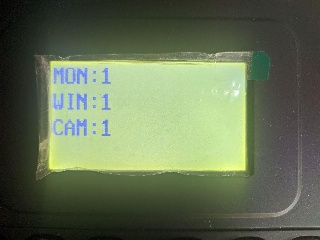
Info title Note. To select these parameters, enter a number on the device keypad, then press the corresponding key (MON/WIN/CAM/CAM-G).
If the Server IP address and/or port is not accessible from the PTZ control device, the "Connect failed" message will be displayed on the control device screen after pressing the MON/WIN/CAM/CAM-G keys.
...
Configuring the Hikvision DS-1200KI control device in Axxon PSIM
| Info | ||
|---|---|---|
| ||
Make sure that DisableInternalJoystick registry key has its default value of 1 (see Registry keys reference guide) before proceeding with control device configuration in Axxon PSIM. |
...
JScript example
The link contains a file with a script in the JScript language, which allows you to assign actions to the keys of the Hikvision DS-1200KI telemetry control panel as follows:
...
Overview
Content Tools