
Go to documentation repository
...

...
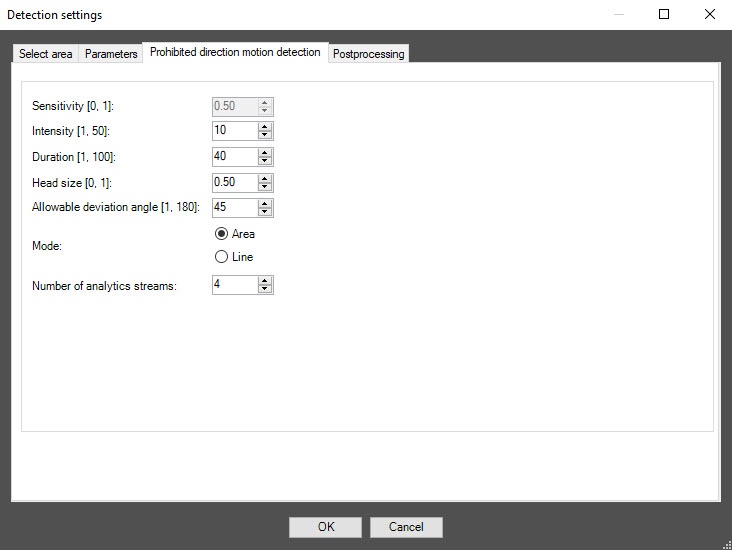
In the Intensity [1, 50] field, specify in arbitrary units in the range from 1 –50 how to 50 how noticeable the object's movement in the detection zone must be for the detector to generate an event. The default value is 10. If you enter a value out of range, it is automatically changed to the appropriate border value. If you select the Line mode in the Mode parameter, this setting is disabled.
In the Duration [1, 100] field, specify in arbitrary units in the range from 1 –100 the to 100 the duration of the object’s movement in the prohibited direction. It can be used when analyzing dense passenger flows, when an object making its way in the opposite direction appears in the camera’s FOV only for short time intervals, and the rest of the time is hidden from view by the crowd. The default value is 40. If you enter a value out of range, it is automatically changed to the appropriate border value. If you select the Line mode in the Mode parameter, this setting is disabled.
| Info | ||
|---|---|---|
| ||
When you change the mode, all settings return to default values on the Select area tab. |
...

