
Go to documentation repository


Page History
...
Enable cooperation with the failover service on the settings panel of the Backup archive object (see Enabling Enable cooperation of Backup archive with Failover between backup archive and failover service).
To configure synchronization on the main server, do the following:
- Go to the settings panel of the Computer object corresponding to the main server.
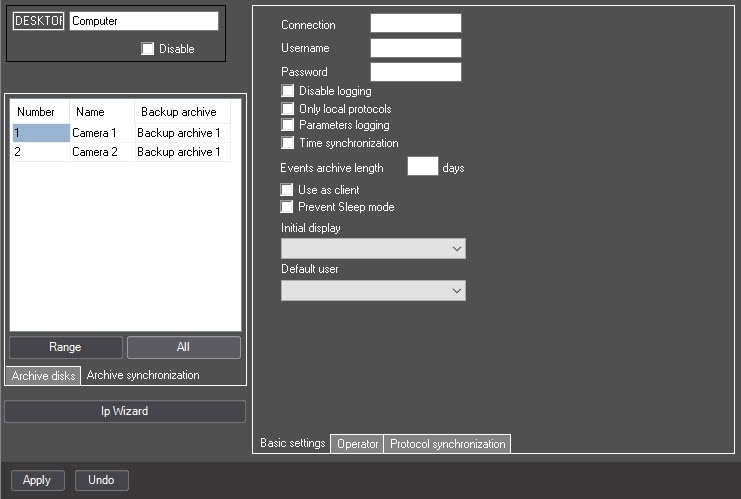
- Go to the Archive synchronization tab.
- Configure the list of cameras, the archive of which must be synchronized when you restore the main server:
- From the Number dropdown drop-down list, select the camera ID.
- From the Name dropdown drop-down list, select the camera name.
From the Backup archive dropdown list, select the name of the Backup archive object configured to cooperate with the failover service and located on the backup server where the selected camera is transferred to if when the main server fails.
Note title Attention! This step is mandatory. If you don't select the Backup archive object, the camera isn't saved in the list. If you don't configure the backup archive, configure it first ; (see Configure Backup archive).
- Repeat steps a-–c for all required cameras.
- Click the Apply button.
Configuring The archive synchronization of the main and backup servers is now complete.
Overview
Content Tools