
Go to documentation repository


Page History
...
| Info | ||
|---|---|---|
| ||
Axxon Next 4.5.10 includes DetectorPack 3.6, Axxon One includes DetectorPack 3.7.4 (see DetectorPack 3.7.4 Release Notes) with updated manufacturer's SDK for the Face detection tool. This means that once you update DetectorPack, the previously recognized faces can no longer be searched. |
...
- Stop the Server (see Shutting down a Server) or the NGP_Supervisor service in case of a failover system. If there are several Servers in the Axxon Domain, stop them all.
- Launch the Axxon One installer. Uninstalling Axxon Next is not required.
- In the warning window, click Yes.


Run the installation by selecting an existing configuration. The procedure is the same as installation (see Installation).
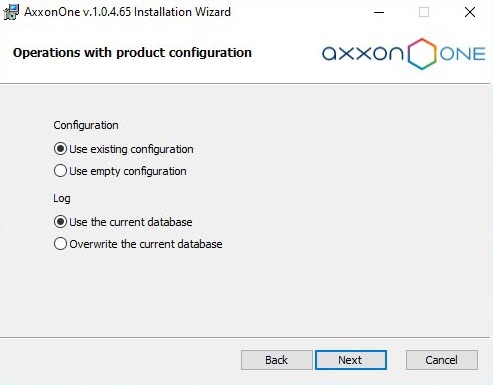

Info title Note During the upgrade process from Axxon Next to Axxon One, the installation path will remain the same.
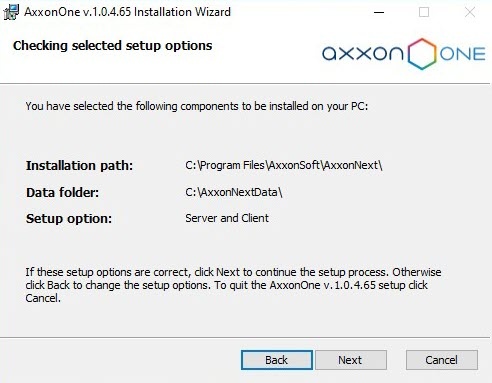
After you complete the installation of Axxon One, use the Activation Utility to deactivate the license (see Deactivating a license).
Note title Attention! Axxon Next licenses are not compatible with Axxon One. After upgrade, you need to request a new license key.
- Request a new license key and activate it (see Activation Guide).
Restart the Server.
Note title Attention! - To ensure the correct operation of Axxon One after upgrading from Axxon Next, it is necessary to restart the Server.
- After you update the Failover configuration, it is necessary to restart all DB Agents, and then restart all nodes.
- After upgrading from Axxon Next to Axxon One, folder names will remain the same.
...
Overview
Content Tools