
Go to documentation repository

Previous page Next page

You can configure the Hikvision interlock groups via the Hikvision Interlock Group object configuration panel, which is created on the basis of the Hikvision 26X object manually or automatically after reading the configuration from the corresponding controller (see Network settings of the Hikvision controller and Configuring the Hikvision controller).
To configure the Hikvision interlock groups, do the following:
- Go to the settings panel of the Hikvision Interlock Group object.
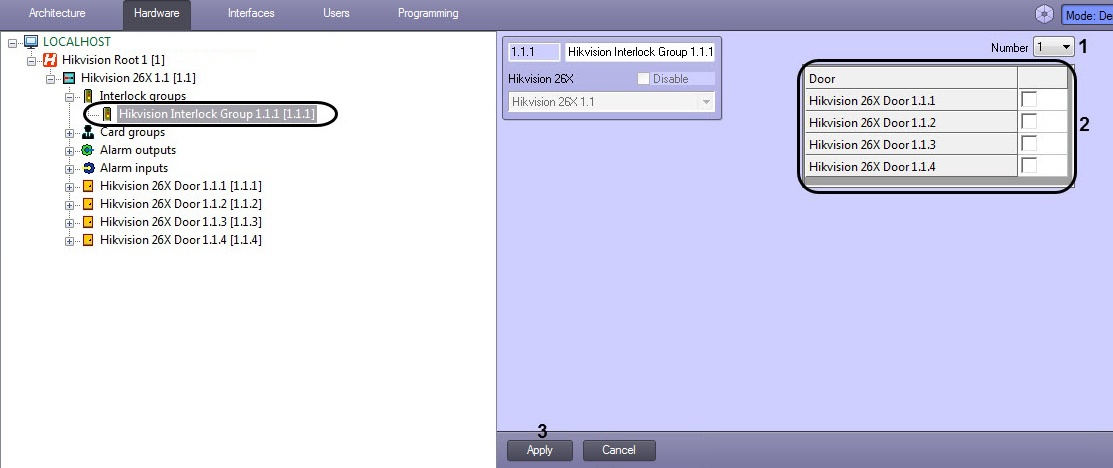
- From the Number drop-down list (1), select the interlock group number ID corresponding to this group's ID in the Hikvision controller.
In the Door panel (2), check the boxes for the relevant Hikvision doors.
Note.
All doors are to be closed to open one of them. This means that only one door in the interlock group can be opened at a time.
- Click the Apply button (3) to save the settings.
The Hikvision interlock group is now configured.
Overview
Content Tools