
Go to documentation repository
Documentation for Axxon One 2.0 version. Documentation for Axxon One 3.0 version is also available.

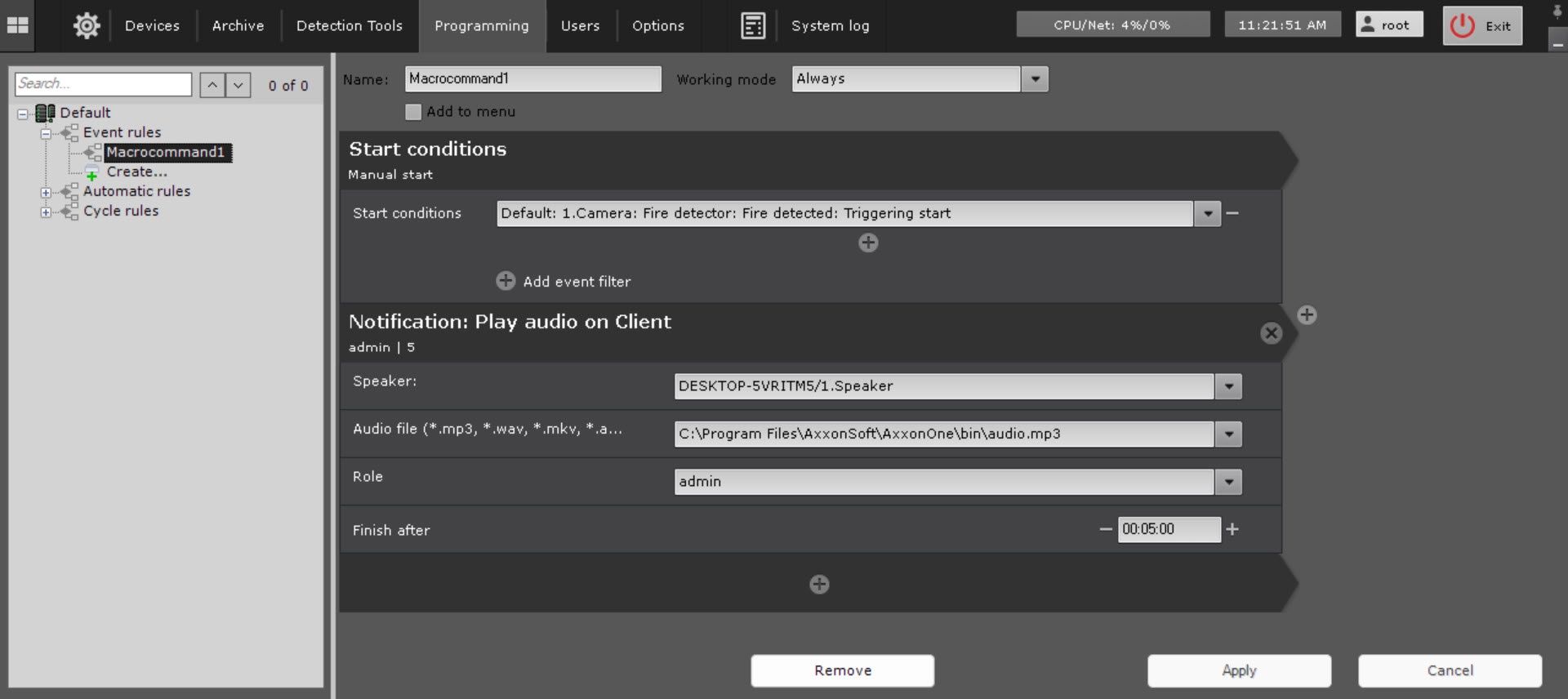
You can playback audio via Client's speakers.
Attention!
To make the Client-side audio playback possible, you have to create a Speaker object allowing Play on client playback mode (see The Speaker object).
To configure this action, do as follows:
- Configure the conditions to start a macro (see Configuring filters for event-driven macros).
- Select the speaker for audio notifications (1) playback.

- Select an audio file that you want to play as a notification (2).
- Select a role to address notification to specific users (3).
- If you need to cancel audio notification after some time, set the required time interval (4).
- For event-triggered audio notification cancellation, do the following:
- Create a new event macro with all required events filtered (see Creating macros, Configuring start conditions).
- Add a Stop audio on client action to a macro.
- Select the speaker on which you want to cancel audio notification (1).
- If you need to cancel notification after a certain amount of time, set the required time interval (2).
Overview
Content Tools