
Go to documentation repository
Previous page Next page
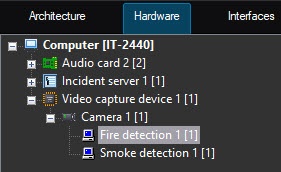
The Fire detection and Smoke detection modules are configured similarly and as follows:
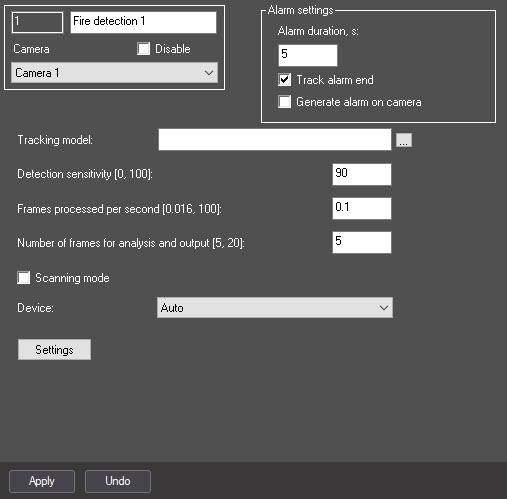
In the Minimum alarm time, s field, enter the time period in seconds during which the repeated fire/smoke alarms are ignored.
Note
For example, if you set 5 seconds in the Minimum alarm time, s field, and there is a fire/smoke on the image during a longer period of time, then in order to avoid receiving messages about the fire/smoke from the detector every 5 seconds, set a higher value for the Minimum alarm time, s parameter (for example, 10 seconds). In this case, only one message about the fire/smoke is displayed, and all the following alarms aren't displayed in the Event viewer until the time interval between the recognitions of the fire/smoke becomes longer than 10 seconds.
 button, and select the file in the standard Windows Explorer window that opens.
In the Detection sensitivity [0, 100] field, enter the sensitivity of the detector—an integer value in the range from 0 to 100. This parameter determines at what certainty of fire/smoke detection the detector will trigger: the higher the sensitivity, the higher the recognition threshold. For example, at sensitivity 100, the detector neural network must get 100% certainty for some period of time when processing the frames. The value of the Detection sensitivity field is determined experimentally.
In the Number of frames for analysis and output [5, 20] field, enter the minimum number of frames in the range 5–20 for the detector to analyze before triggering. The higher the value, the more reliable the result of the detector operation. At the same time, if the value is too high, the short-time fire/smoke can be missed. If you enter a value less than the minimum, the value is set to 5.
Note
Multiplication of Minimum alarm time, s and Number of frames for analysis and output [5, 20] values is the time period (in seconds) after which the alarm will trigger after the fire/smoke detection.
Note
You cannot configure the scanning windows for the Fire detection and Smoke detection modules. The default parameters are used.
When you use scanning mode, we recommend using a full frame without specifying the area of interest in step 11.
Attention!
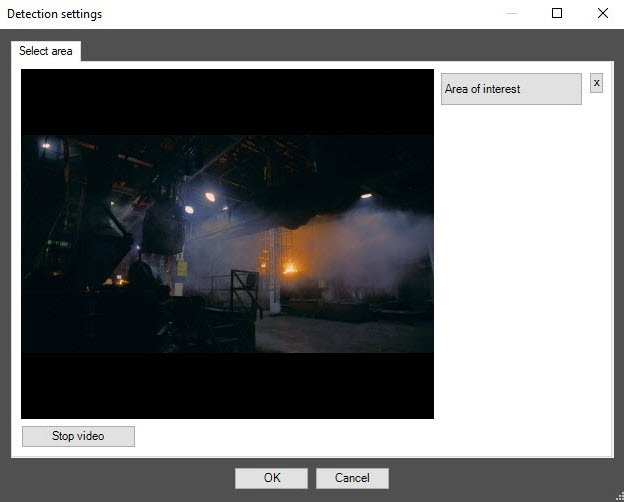
On the captured video image, set the anchor points of the area, the situation in which you want to analyze, by sequentially clicking the left mouse button. After you add an area, the rest of the video image is darkened. If you don't specify the area of interest, the entire frame is analyzed.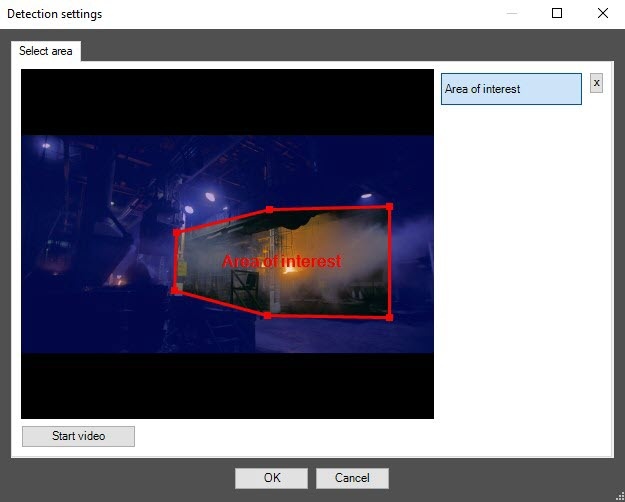
Click the OK button.
Note
 button next to the Area of interest button.
Configuring the Fire detection and Smoke detection modules is complete.

