
Go to documentation repository


Reports log displays information about working of Intercom Subsystem for the specified time period.
It is possible to form the following reports:
- By calls. Contains detail information about each call for the specified period.
- By security intercom terminal. Contains detail statistics by calls from each security intercom terminal for the specified period.
Working with the reports log is performed the following way:
Note.
This function is available on the Intercom Subsystem Server only.
- Go to the settings panel of the Intercom Subsystem object for which the report is to be created.
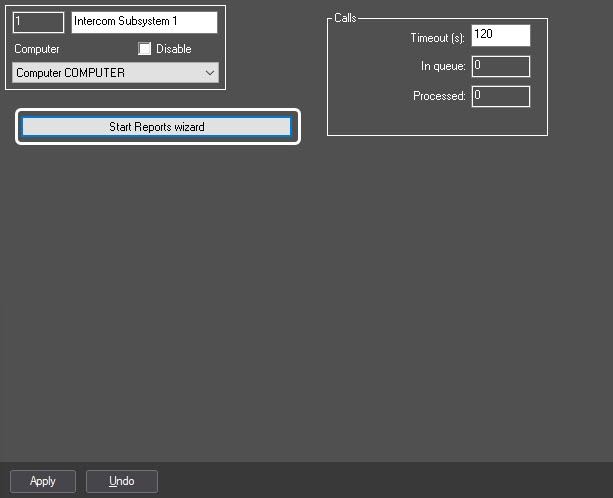
- To start the reports wizard click the Start Reports wizard button.
- As a result the Reports wizard for security intercom terminal dialog box will display.
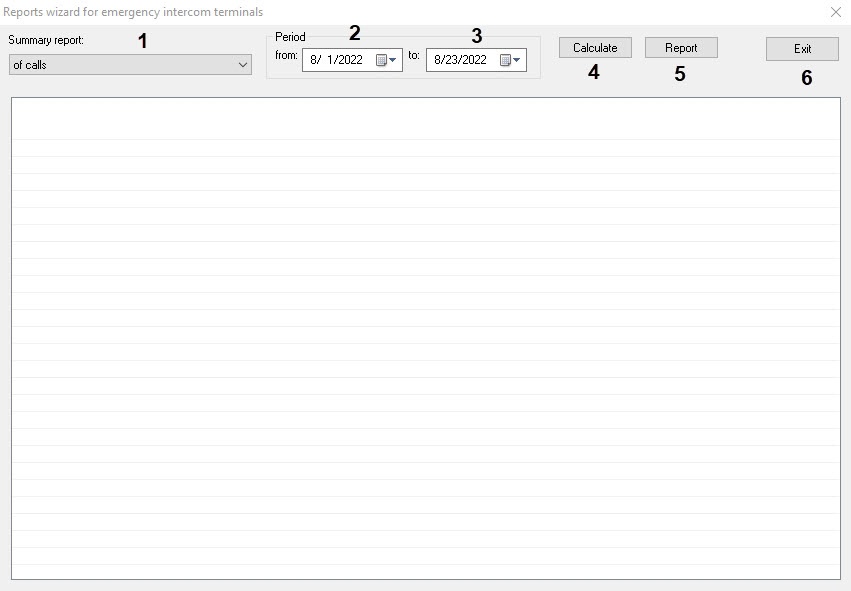
- From the General report: drop-down list select the required report type (1).
- Select borders of time period for which the report is to be created in calendars available in from and to drop-down lists of Period group (2).
- To create the report click the Count button (3).
As a result the general report will be displayed as a table.
Note.
To view the archive data by calls double-click the corresponding table line. As a result the Display 4321 interface object with located Monitor 4321 and Audio player 4321 objects will be activated. Playback of archive video record starts automatically.
Display 4321, Monitor 4321 and Audio player 4321 objects are automatically created and configured at the first view of archive.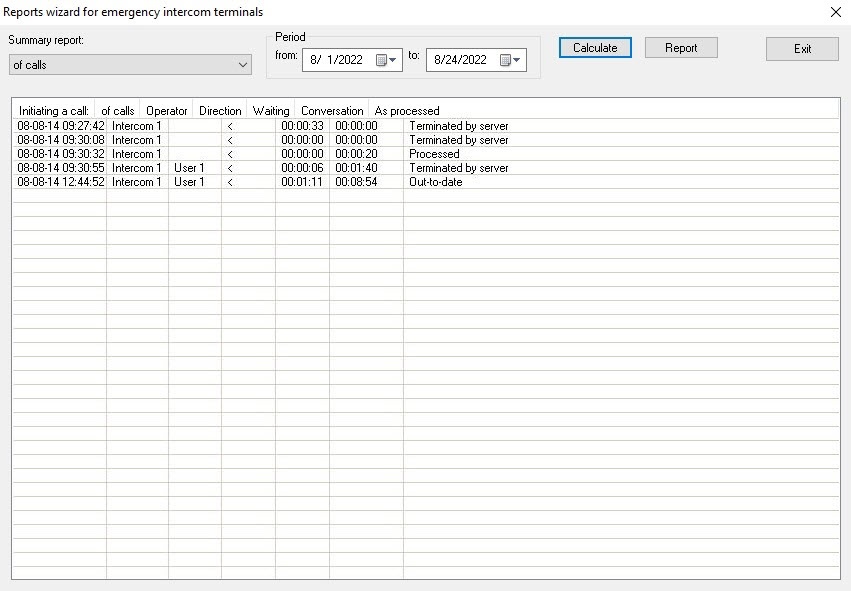
- To export and print the report click the Report button.
- To close the Reports wizard for security intercom terminal dialog box click the Exit button.
Working with the reports log is completed.
Overview
Content Tools