
Go to documentation repository

Documentation for Axxon PSIM 2.0. Documentation for other versions of Axxon PSIM is available too.
Previous page Next page

The settings panel of the Address book system object is shown in the figure below.
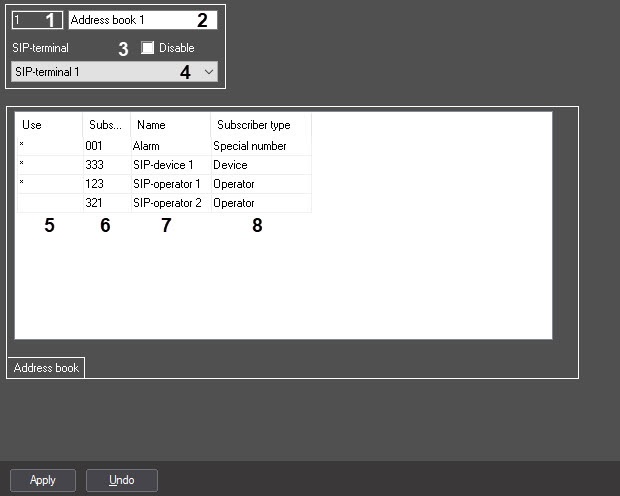
The table describes the setting parameters of the Address book system object.
№ | Parameter | Method for setting the parameter value | Parameter description | Representation | Default value | Value range |
| 1 | Use | Set the checkbox | Sets a list of subscriber numbers that must be available in this address book | Boolean type | Clear | Set—the number is added to this address book Clear—the number isn't added to this address book |
| 2 | Subscriber | Automatically | Displays the subscriber number | NA | NA | NA |
| 3 | Name | Automatically | Displays the name of the object in Axxon PSIM | NA | NA | NA |
| 4 | Subscriber type | Automatically | Displays the type of subscriber: Operator, Device, Special number | NA | NA | NA |
*Name of the element isn't displayed in the settings panel of the given object.
Overview
Content Tools