 in the bottom left corner of the screen or click and select Add map from the context menu of the Layouts ribbon.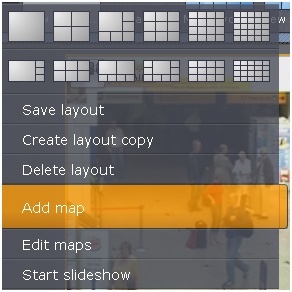
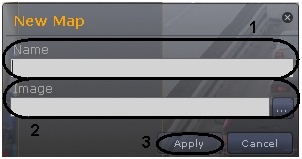
To create a new map , complete the following steps:
in the bottom left corner of the screen or click and select Add map from the context menu of the Layouts ribbon.You have created a new map and opened it in the editing mode. To leave the editing mode click Apply.

| To leave the editing mode, go to the context menu of the Layouts ribbon and click Save map. |
You have created a new map.