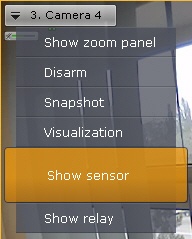
To display the status of a video camera’s sensor, select Show sensor in the context menu of the viewing tile.
| You must first activate an object to display the status of its sensor. |
The status of the sensor will now appear in the viewing tile.
| To hide the sensor status, select Hide sensor in the context menu of the viewing tile. |
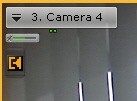
There are four possible statuses of a sensor.
Sensor status | Description |
 | Video camera is armed, sensor is in normal status |
 | Video camera is armed, sensor is in alarm status |
 | Video camera is disarmed, sensor is in normal status |
 | Video camera is disarmed, sensor is in alarm status |