To access the dialog box from Intellect, follow these steps:
Create an Operator query window under the Computer object in the Hardware tab of the Configure systems menu.
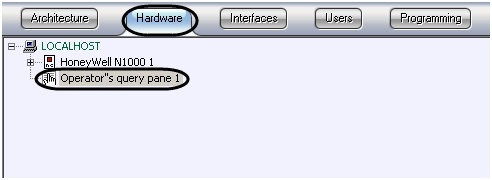
| When you create an Operator query window in the number field you should specify the name of the saved dialog box form in the relevant director. |

- Go to the settings panel of the Operator query window.

- Specify the window coordinates: in the X field specify the coordinates along the horizontal axis, in the Y field specify the coordinates along the vertical axis (1).
- From the drop-down menu, in the Type column, select the type of object that trigger a dialog box (2).
- From the drop-down menu, in the Number column, select the number of selected objected types (3).
- Double click the left mouse button on the Name column (4). The cell will be automatically completed with the name of the selected object.
- Specify the action to be performed upon the occurrence of a specified event, in the Event column (5).
| In the example shown in the illustration above, the dialog box, created in the form, will be displayed from the macro. |

Dialog boxes are used for programming the Intellect software package. More information on the built-in programming language can be found in the Intellect Software Package. Programming Guide.
Configuring the Operator query window is described in detail in the Intellect Software Package. Administrator’s Guide .