The Operator reaction object is created on the basis of the Event manager object on the Interface tab of the System settings dialog window.

To configure the operator reaction, do the following:
- Go to the settings panel of the Operator reaction object.
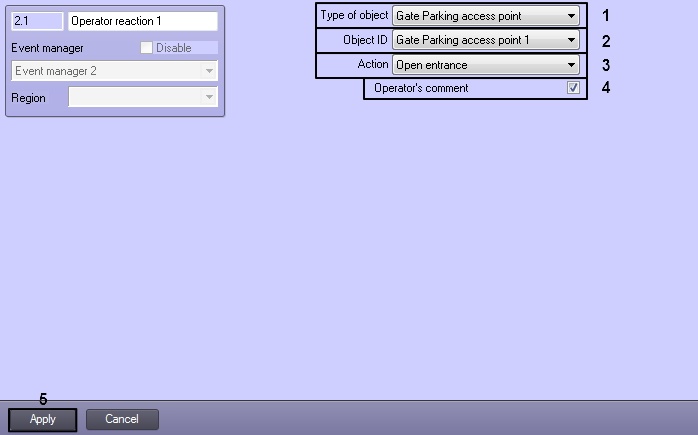
- From the Type of object drop-down list select type of object on which reaction will be sent by clicking the program button (1).
- From the Object ID drop-down list select the identical number of object in the Intellect system (2).
- From the Action drop-down list select reaction which will be sent to the object by clicking the program button (3).
- To save changes click Apply button.
Configuring the operator reaction is completed.