| The list of OS supported by YUAN PD652 video capture card can be found on the official website. |
Configure YUAN PD652 video capture card as follows:
- Install the card drivers, but first disable the check of drivers digital signature.
Remove Intellect and IP DriverPack.
- Install IP DriverPack. The installation file can be found in the ipint.driverpack folder of Intellect distributive.
Install Intellect.
| First of all install IP DriverPack and then install Intellect. |
- Connect cameras to YUAN PD652 and connect YUAN PD652 to the computer.
- Start Intellect.
- Start Camera discovery tool.
Select ITV in the list of available devices.

| The capturedevice item can be available in the list. It is to be disabled. |
- Click the Apply button.
- Corresponding devices are added to the Intellect object tree.
- Go to the settings panel of the created Video Capture Device object.
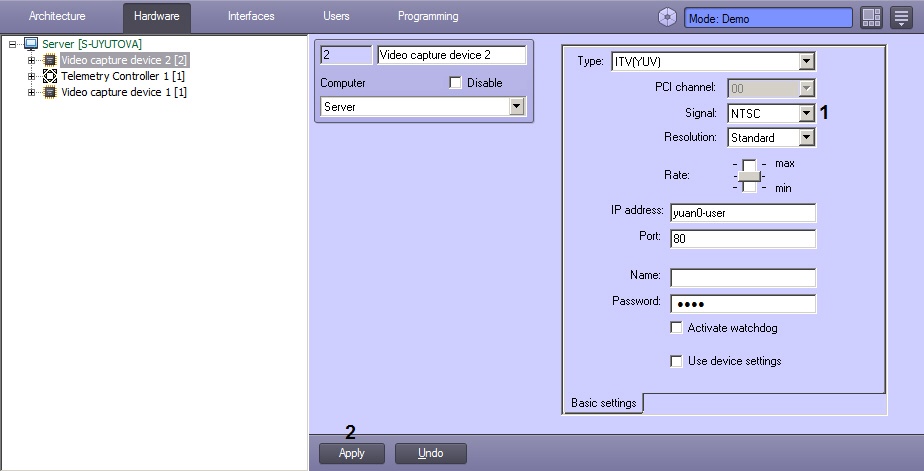
- In the Signal dropdown list select the type of signal supported by the device: PAL or NTSC (1).
- Click the Apply button. (2)
YUAN PD652 video capture device is now configured.