Select a Time and Attendance report in one way (see Selecting a type of Time and Attendance report section).
Set required values to the parameters that are necessary for displaying the report of selected type (1).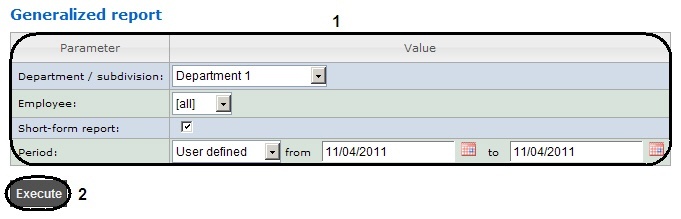
The figure illustrates the parameters of a Generalized report. |
Set of parameters depends on the type of Time and Attendance report. Description of parameters used for creating reports is given in the table.
Parameter | Description | Used in reports |
|---|---|---|
| Used for selecting the area by which data is displayed in the report |
|
| Used for setting the period by which the report is displayed | Used in all reports |
| When the checkbox is checked then entrances/exits points are displayed in the report |
|
| When the checkbox is checked then the data only by working area is displayed in the report |
|
| Used for selecting the departments and employees for whom the report is displayed |
|
 | Only departments or employees which are in the specified region will be considered in the report when the checkbox is set |
|



