To configure a Hikvision interlock group, do the following:
- Go to the settings panel of the Hikvision Interlock Group object , which is created on the basis of the Hikvision 26X object.
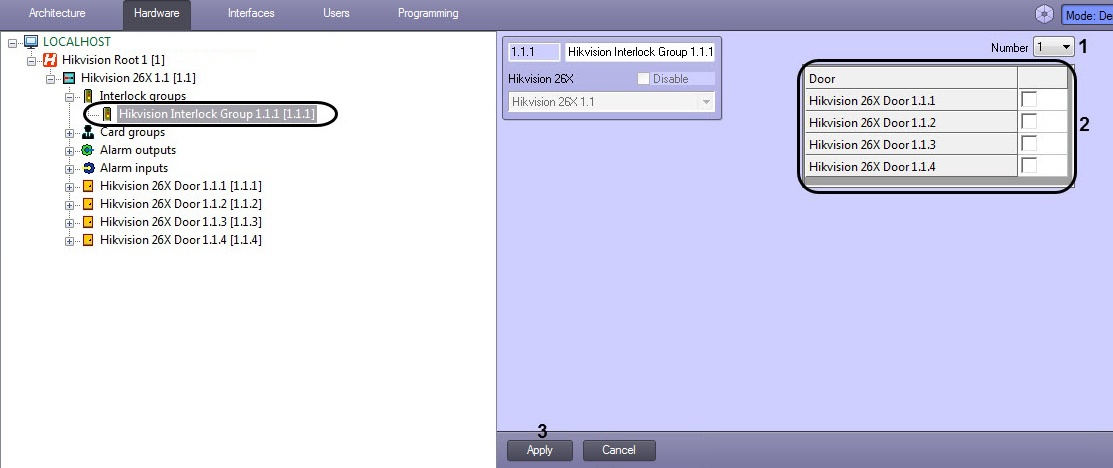
- From the Number drop-down list (1), select the interlock group number ID corresponding to this group's ID in the Hikvision controller.
- In the Door pane (2), check the boxes for the relevant Hikvision doors.
- Click the Apply button (3) to save your settings.
The Hikvision interlock group is now configured.