 button next to the corresponding domain and select the Users and Groups item.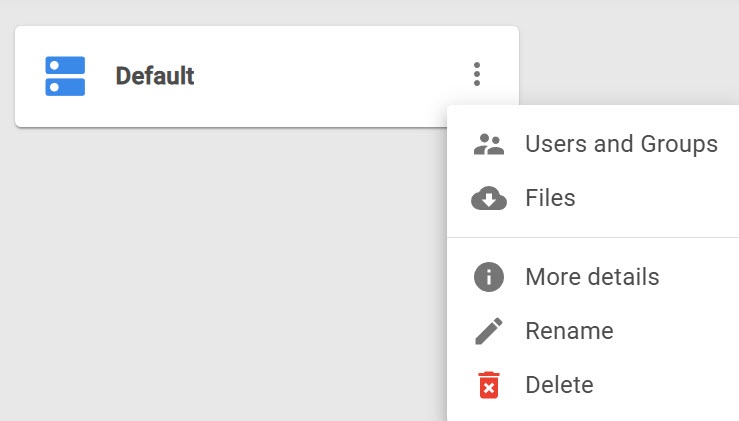
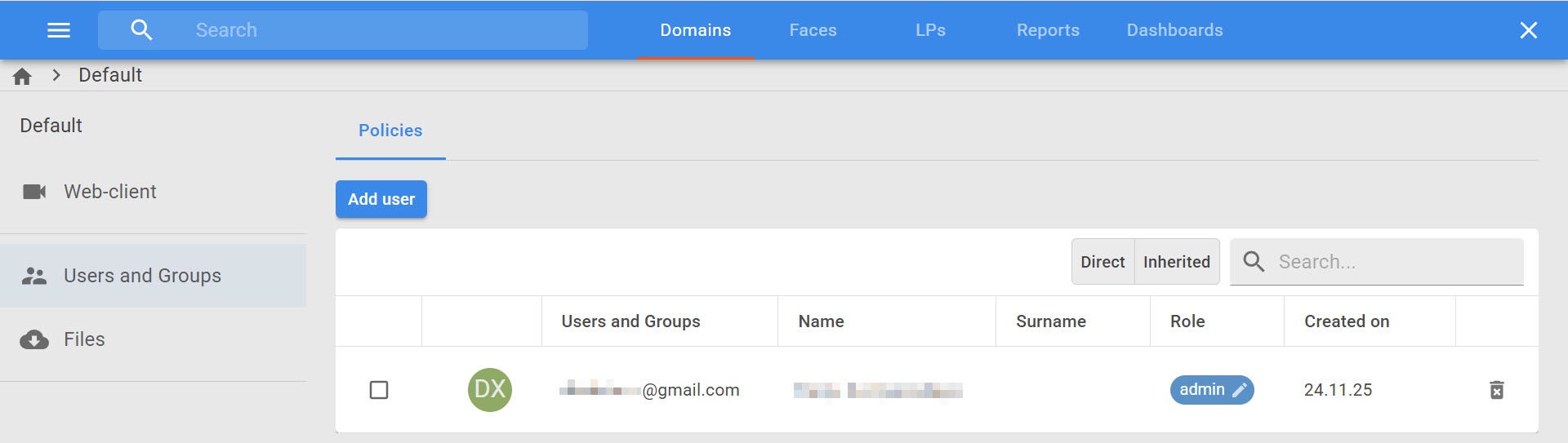
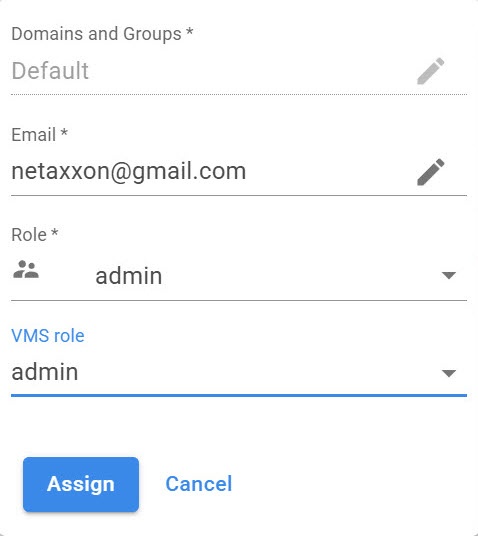
In the Role drop-down list, select the role to which you want to add the user: admin or operator.
When you add a new user to AxxonNet, you can select one of the roles:
| Role | Description |
|---|---|
admin | You can select if users and roles in AxxonNet are synchronized with Axxon One. The user who links the domain is added to the admin role and is available in Axxon One. Users of the admin role in AxxonNet can perform any available actions with the domain |
| operator | By default, this role is limited to accessing the Web-Client only. In Axxon One, you must additionally configure this role so that cameras are displayed for a user in the Web-Client |
| VMS role | The role that was created earlier in Axxon One |
To add a user for working with the domain via AxxonNet, do the following:
button next to the corresponding domain and select the Users and Groups item.In the Role drop-down list, select the role to which you want to add the user: admin or operator.
Adding a user to work with the domain via AxxonNet is complete. The user gets access to the Web-Client and reports. When you grant or change the access to the domain, the user gets the corresponding notification by email.
For correct operation of reports (see AxxonNet Reports), the user role must match the following conditions:
|
To change the user role, click the  button and select a new role. To delete the user, click the
  button.
|