
The video image is configured in the PLAYER section in the following way:
Select the Mode (1) parameter to proceed to the sub-menu to select the playback format:

If the MP4 playback format is selected and the camera uses the H.265 stream, it is recommended not to disable the Hardware Decoding (See Configuring VLC in the iOS mobile client). |
Select the Stream (2) parameter to proceed to the sub-menu to select the video stream quality:

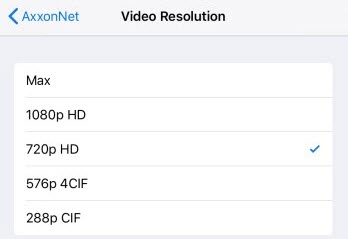
288p CIF.
Select the Video Resolution (4) parameter to proceed to the sub-menu to select the cameras preview resolution:


3 - 3 fps.
This configuration is applied only when connected to the Intellect Server. |
The Client’s image configuration has been completed.