Example of the Event manager module working with the Gate Parking devices is follows. It is required to track employee access through the specified door equipped with card readers and video camera for matching employee photo stored in the Intellect database and image of person that use the card reader.
Do the following:
- Create the template of displaying using the template editor and add to it objects which should be displayed in the Event manager window:
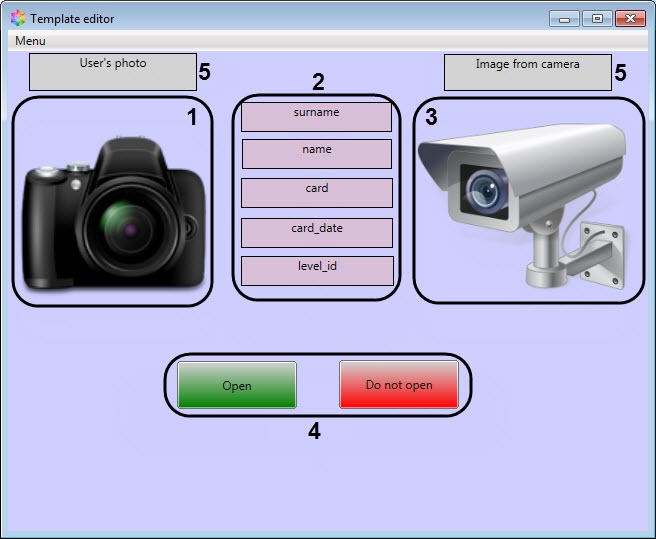
- field for displaying photo assigned to employee (1);
- database fields (2);
- buttons of actuators control (3);
- text fields with explanation (4);
- field for displaying image from video camera (5).
- Configure events and reactions for the Event manager window (configuring of events and reactions is presented in the Configuring the rule of displaying and Configuring the operator reactions sections). Select the Access permitted or Access denied event to display and Open or Do not open as reactions. For Do not open, set the Operator's reaction checkbox.
- After all configurations are done, when user uses a card, the Event manager window will look as shown in the figure.

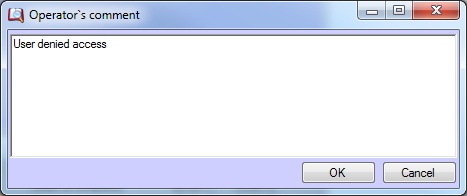
When you click the Do not open button, a window will be displayed in which you must enter a comment to complete the action. Before entering a comment, the OK button will be inactive.
At the bottom of the Event manager window (1) there is a protocol that displays the events and objects which are specified in the current template of displaying, the time and date of events, the object type, and the status of actions performed by the operator.
In the right part of the Event manager window (2) there is a list of fields specified in the current template of displaying, and the information related to them.
The action status icons are follows:
 – event processed by operator;
 – event process by operator from other computer;
 – waiting for operator action;
 – event was skipped on the expiry of the specified time period;
 – informational event;
 – waiting timeout expired for the event.