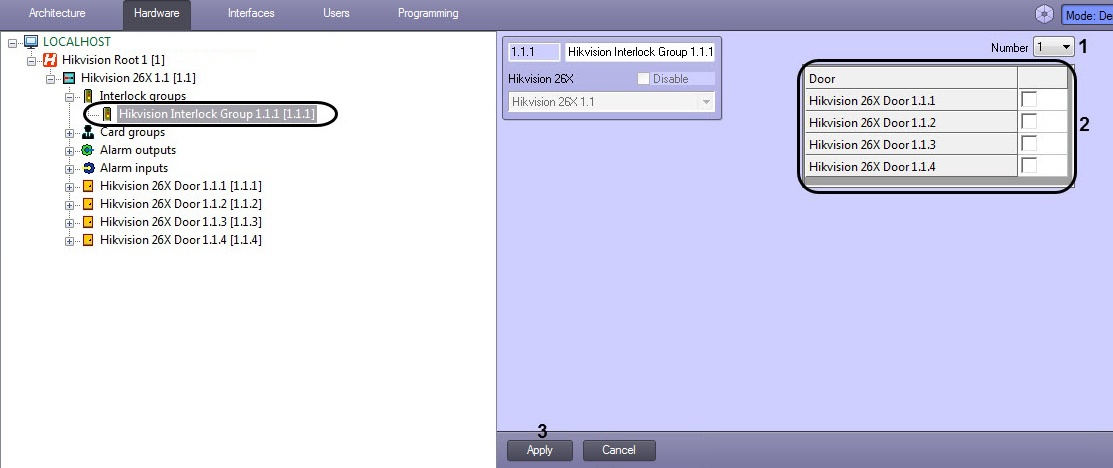
In the Door pane (2), check the boxes for the relevant Hikvision doors.
All doors are to be closed to open one of them. This means that only one door in the interlock group can be opened at a time. |
To configure a Hikvision interlock group, do the following:
In the Door pane (2), check the boxes for the relevant Hikvision doors.
All doors are to be closed to open one of them. This means that only one door in the interlock group can be opened at a time. |
The Hikvision interlock group is now configured.