 .
.  .
. .
.
There are three special layouts available in Axxon Next:
. ..To create a special layout, do as follows:
 to open the Layouts context menu.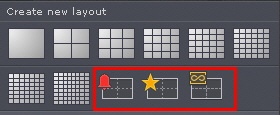
The layout is created and added to the panel.

You can limit the number of cameras on special layouts by the layout format — 1, 4, 9, 16, 25, 36, 49, 64 (to select the format, click on the corresponding button in the menu). The Dynamic layout is created empty.
By default, the Marked cameras layout is 3 * 3, and the Alarmed cameras layout changes automatically depending on the number of alarms. |

To return to automatic change of the Alarmed cameras layout, click the format that you selected again. |
You can change any standard layout to an alarmed one. To do this, in the layout editing mode, open the menu and select Enable alarm monitor mode.
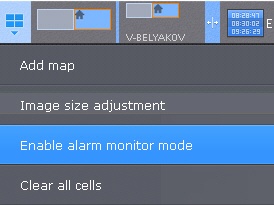
In this mode, only alarmed cameras will be displayed.
If the alarm monitor mode is enabled, the layout will be marked with  .
.