To configure the detection of artificial faces, do the following:
- Go to the Analytics tab (1) on the settings panel of the Face Recognition Server object.
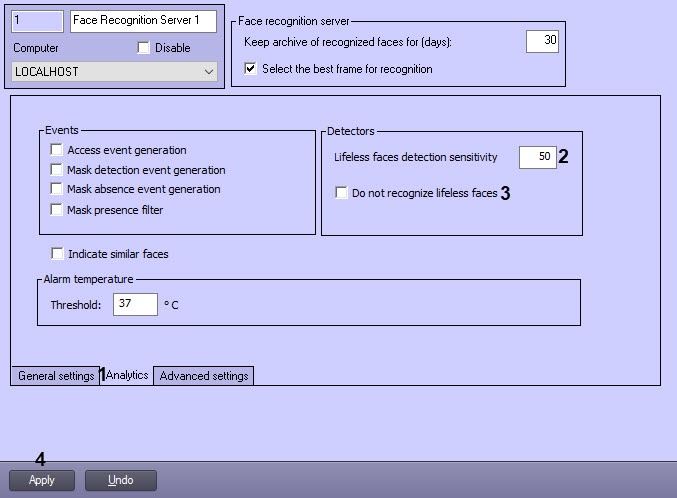
- In the Lifeless faces detection sensitivity field (2), specify the sensitivity of artificial faces recognition as a percentage (see Configuring the permissions and additional settings).
- Set the Do not recognize lifeless faces checkbox (3), to disable the detection of artificial faces.
- Click the Apply button (4) to save the settings.
The artificial faces detection is now configured.